Quantitative Messages in Data Viz

Prasanna Parasurama

Know your Quantitative Message

  • What relationship, or relationships, within your quantitative information are you trying to communicate to your audience?
    • What is the quantitative question you are trying to answer?
    • What values and variables are you trying to show relationships among?
    • How does the data answer these questions?
    • What visual encodings work best to answer your questions?
    • What are the audience’s expectations, understandings, abilities, and norms?

Common Relationships in Graphs

  • Nominal Comparisons & Categorical Data
  • Time Series
  • Part-to-Whole, Ratios, & Proportions
  • Rankings
  • Deviations
  • Distributions
  • Correlations
  • Geospatial Comparisons Across Multiple Variables
  • Networks, Relationships, & Hierarchies

Nominal Comparisons

Nominal/Categorical Comparisons

  • A nominal comparison relationship is the simplest of all, and typically the least interesting.
  • Goal: display a set of discrete quantitative values so they can be easily read and compared.
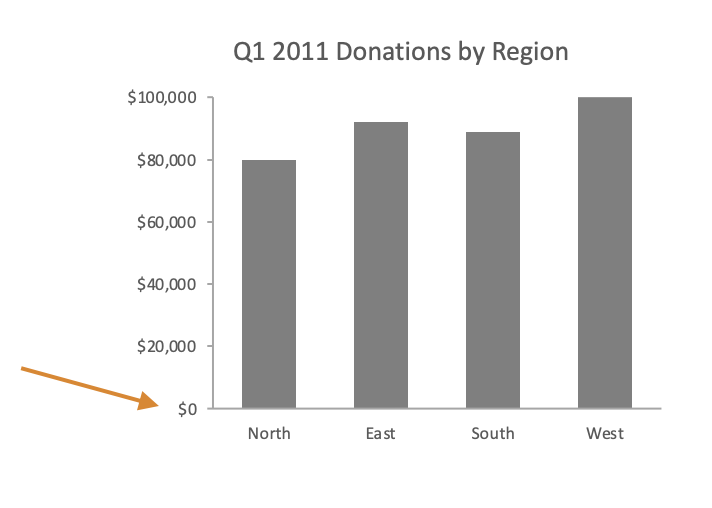
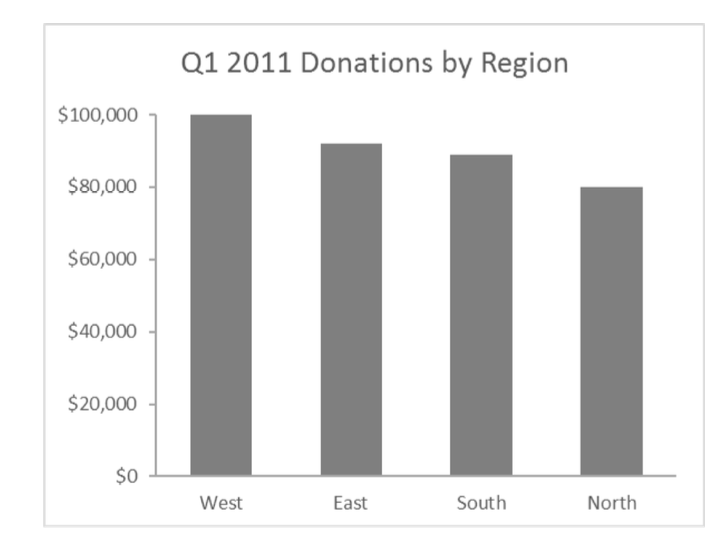
Q1 2011 donations by region, shown as four vertical bars.

Nominal/Ordinal Comparisons

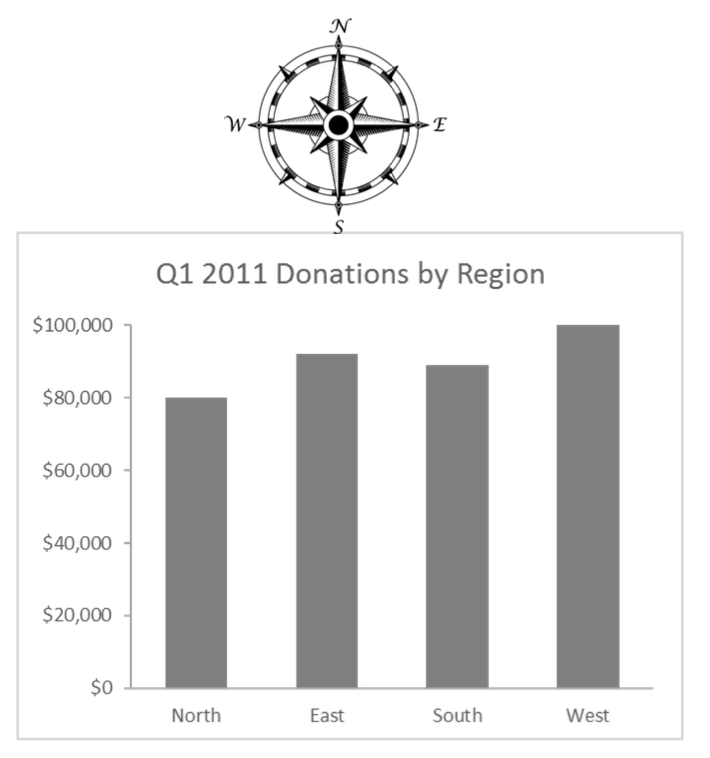
  • Order your categories if:
    • Categorical variable has a natural order (NOT alphabetical)
  • Otherwise:
    • Sort ascending/descending based on y-value
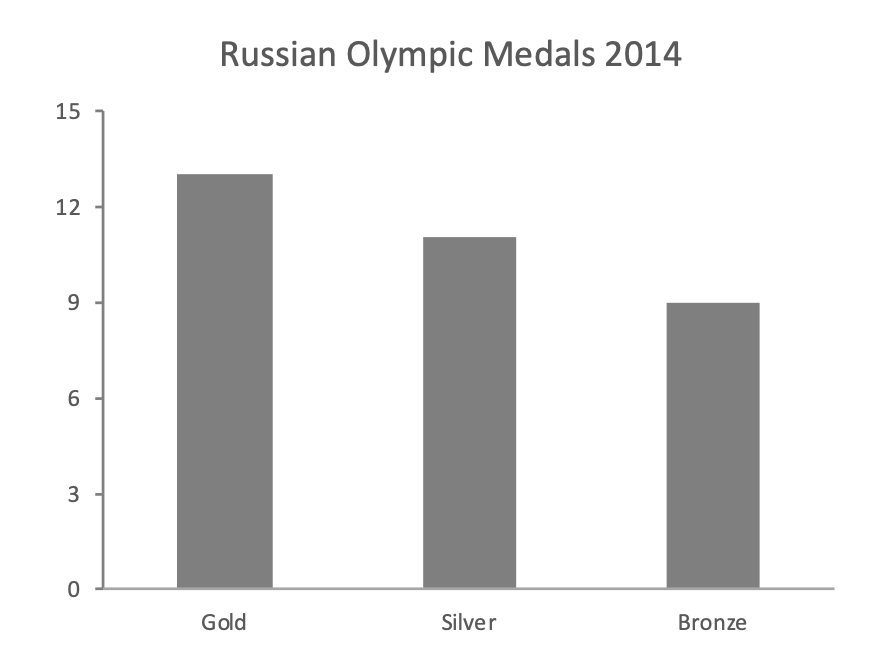
Russian Olympic medals in 2014, ordered gold, silver, and bronze.

Q1 2011 donations by region, ordered from highest to lowest.

Q1 2011 donations by region, ordered north, east, south, west, with a compass above the chart.

Distribution across Categories

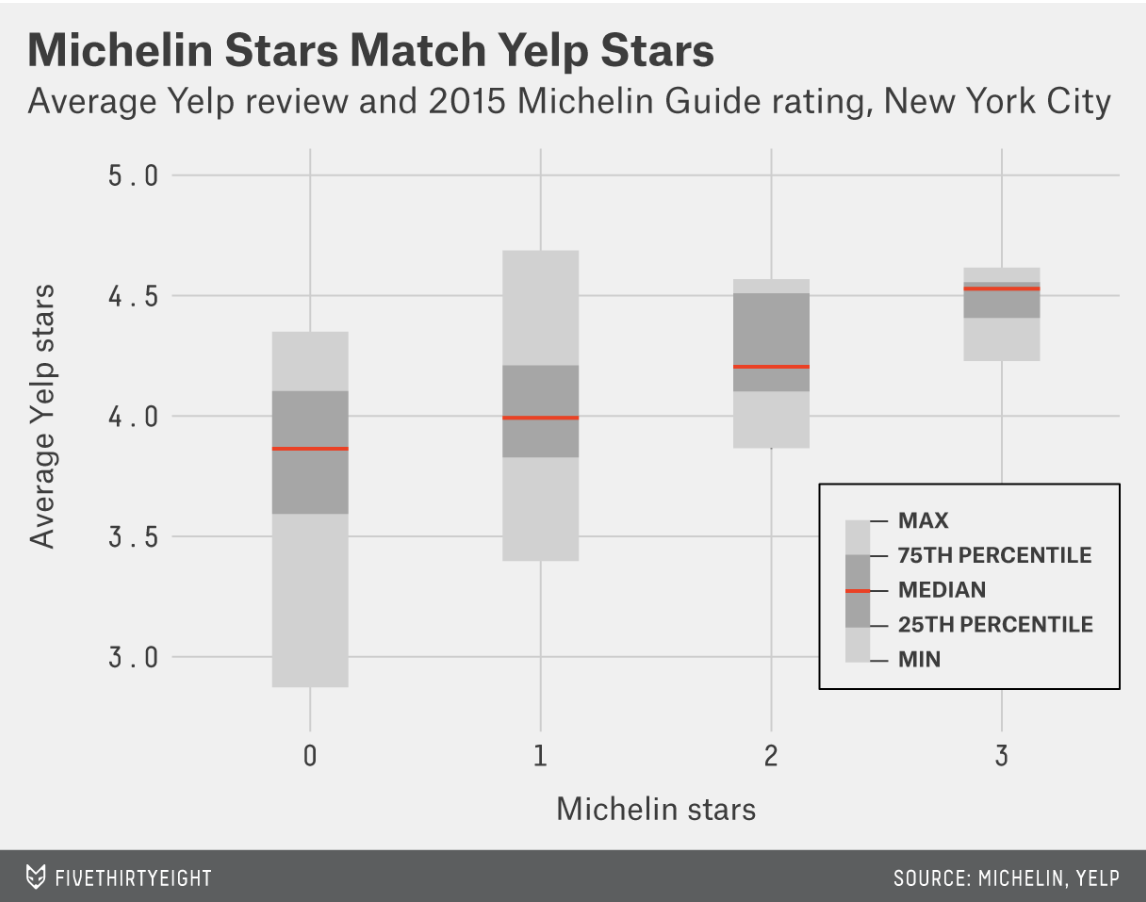
Michelin Stars Match Yelp Stars: distributions of average Yelp reviews by Michelin rating in New York City.

Cleveland Dotplot/Dumbbell Chart (Tableau exercise)
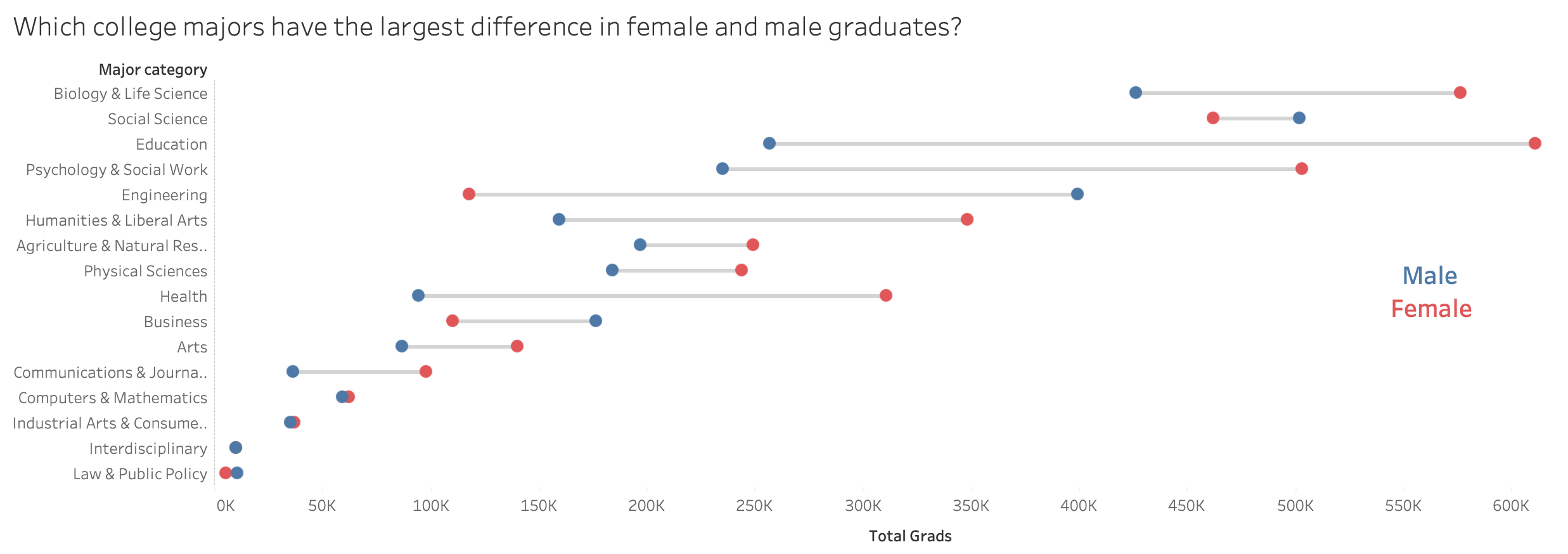
Dumbbell chart comparing female and male graduates across college majors.

Time Series

Time Series

  • Shows how a quantitative value changes over time
  • Useful to visualize
    • Rise/increase/growth
    • Decline/decrease
    • Change/Fluctuations
    • Trend

Time Series Convention

  • Time should always be on horizontal axis
  • Common ways to show quantitative values:
    • Vertical bars – when you want to emphasize individual values or compare categories of values, rather than the overall pattern
    • Points only – when values were collected at irregular intervals of time or there is little short term up and down fluctuation in the values
    • Lines (or Points with lines) – when you want to emphasize the pattern of change through time
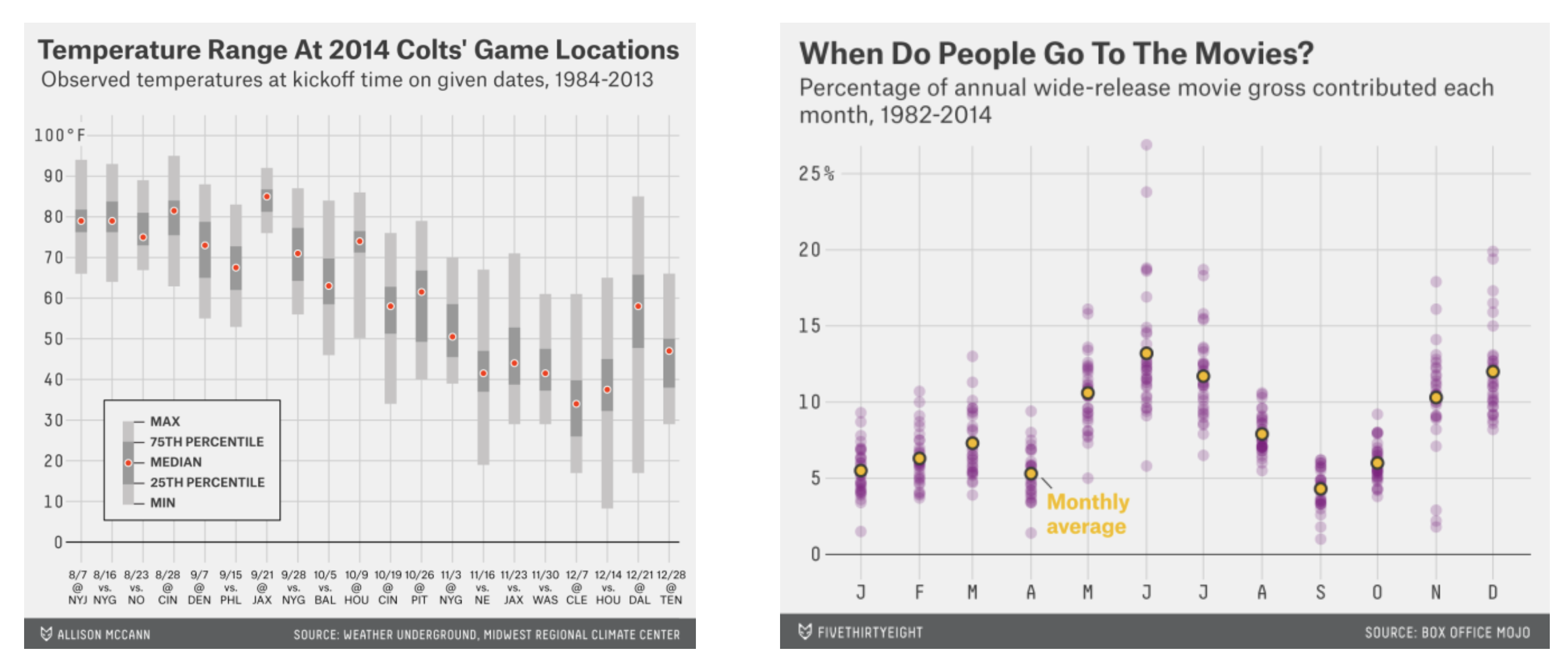
    • Vertical box plots (or violin plots) – when you want to display how a distribution changes through time

Bars — Effective for emphasizing individual values
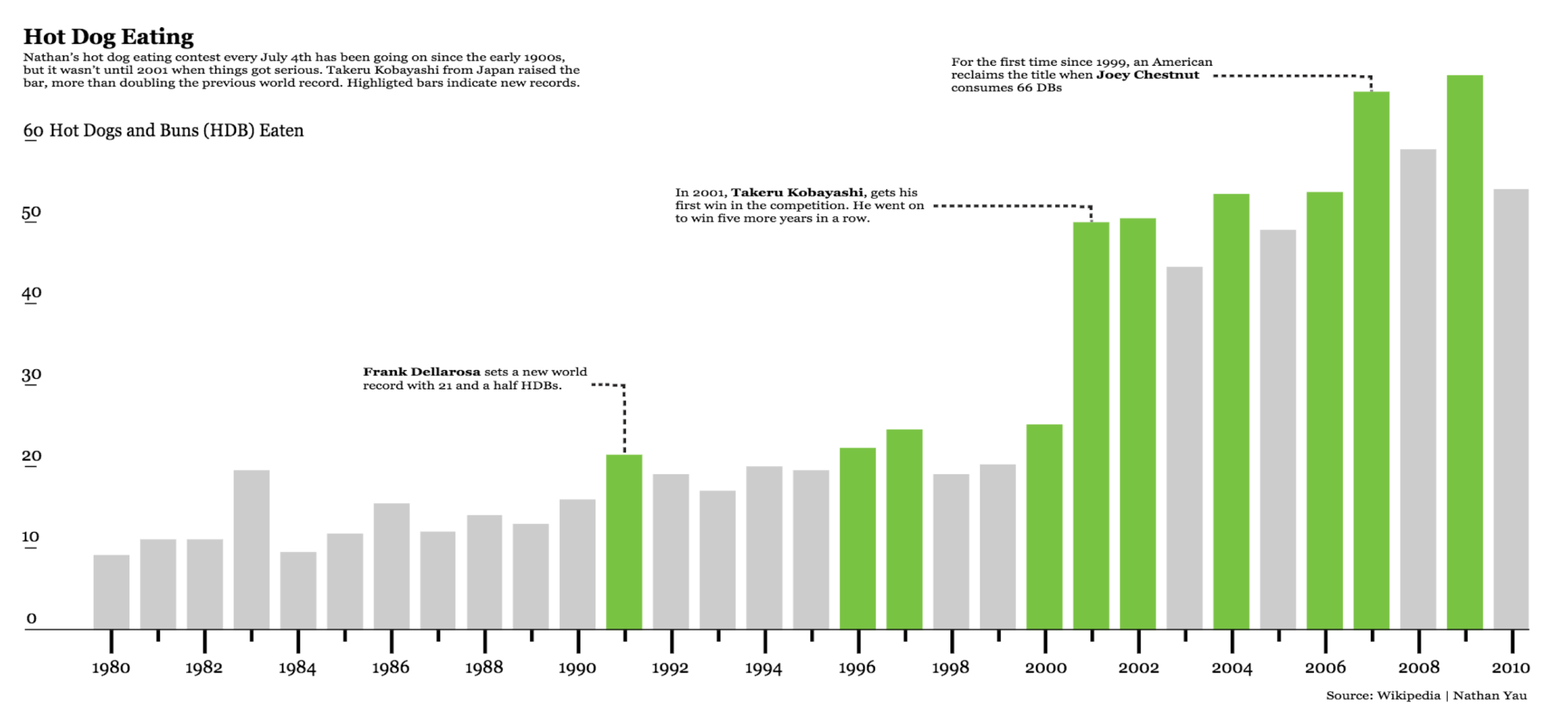
Hot Dog Eating: annual hot dog and bun totals, with selected years highlighted and annotated.

Bars — not effective for emphasizing overall trend
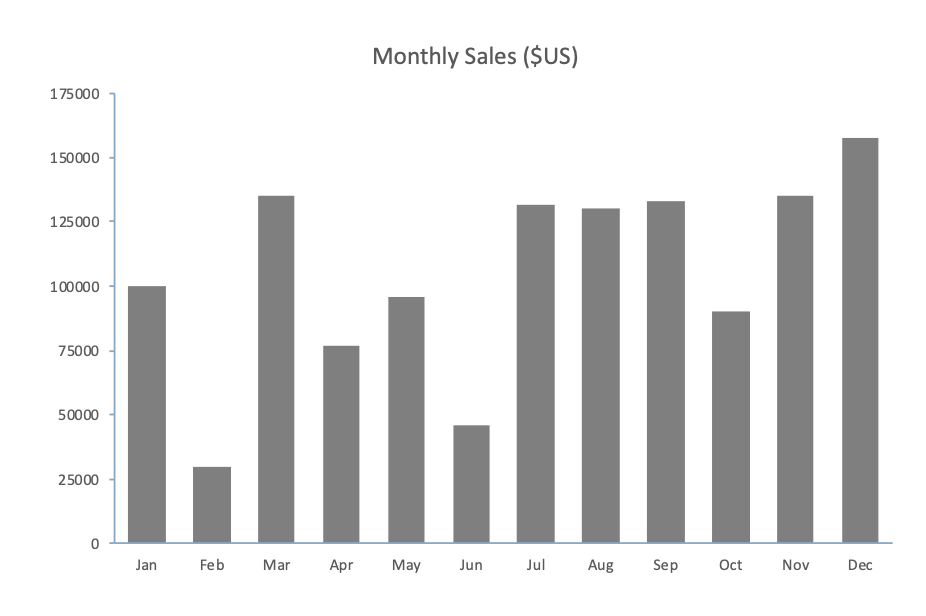
Monthly sales shown as vertical bars.

Stacked bars — useful to show subcategories
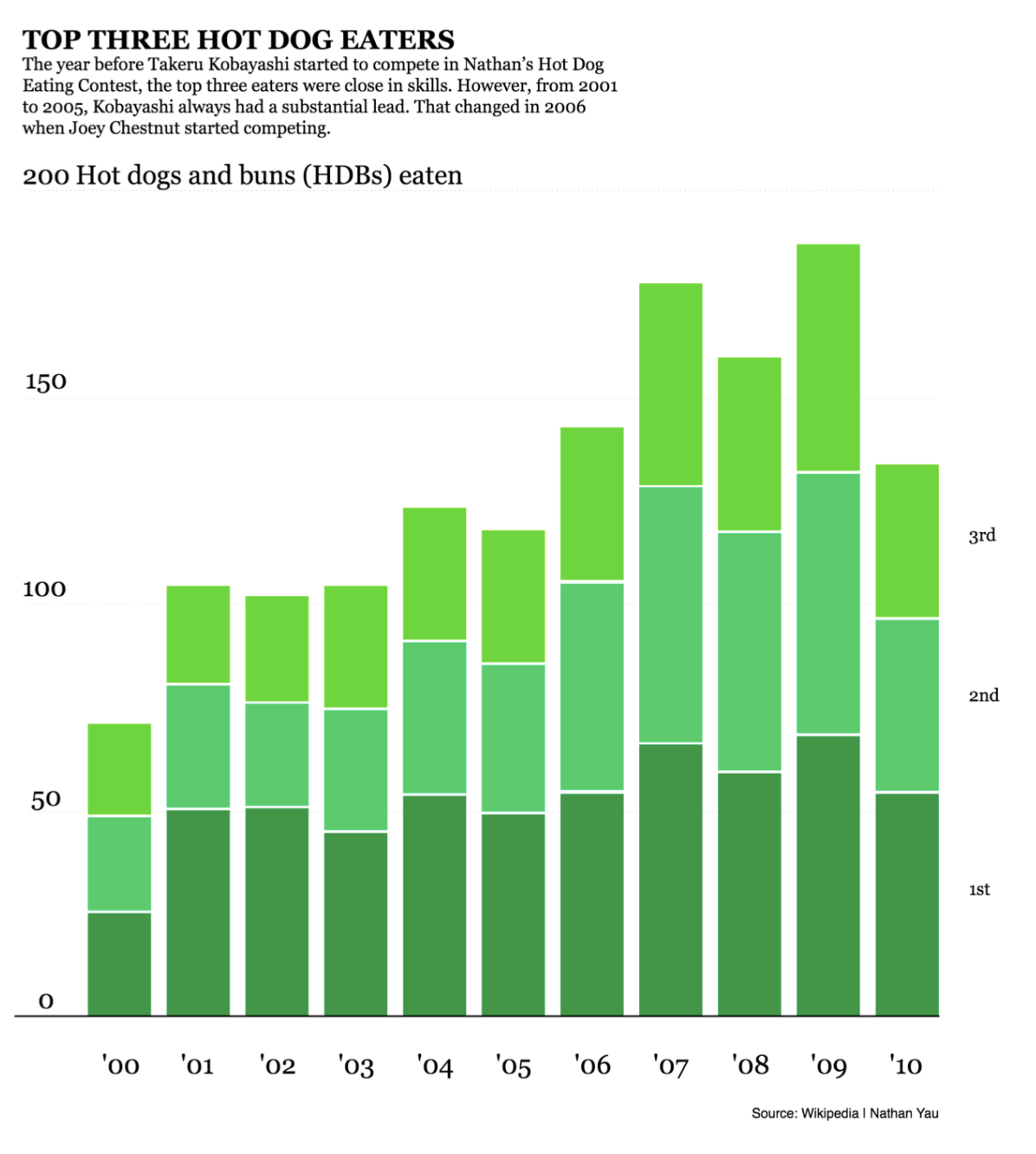
  • …and when the sum of subcategories is meaningful for your quantitative message

Top Three Hot Dog Eaters: stacked annual bars showing three competitors and their total.

Discrete Points in Time

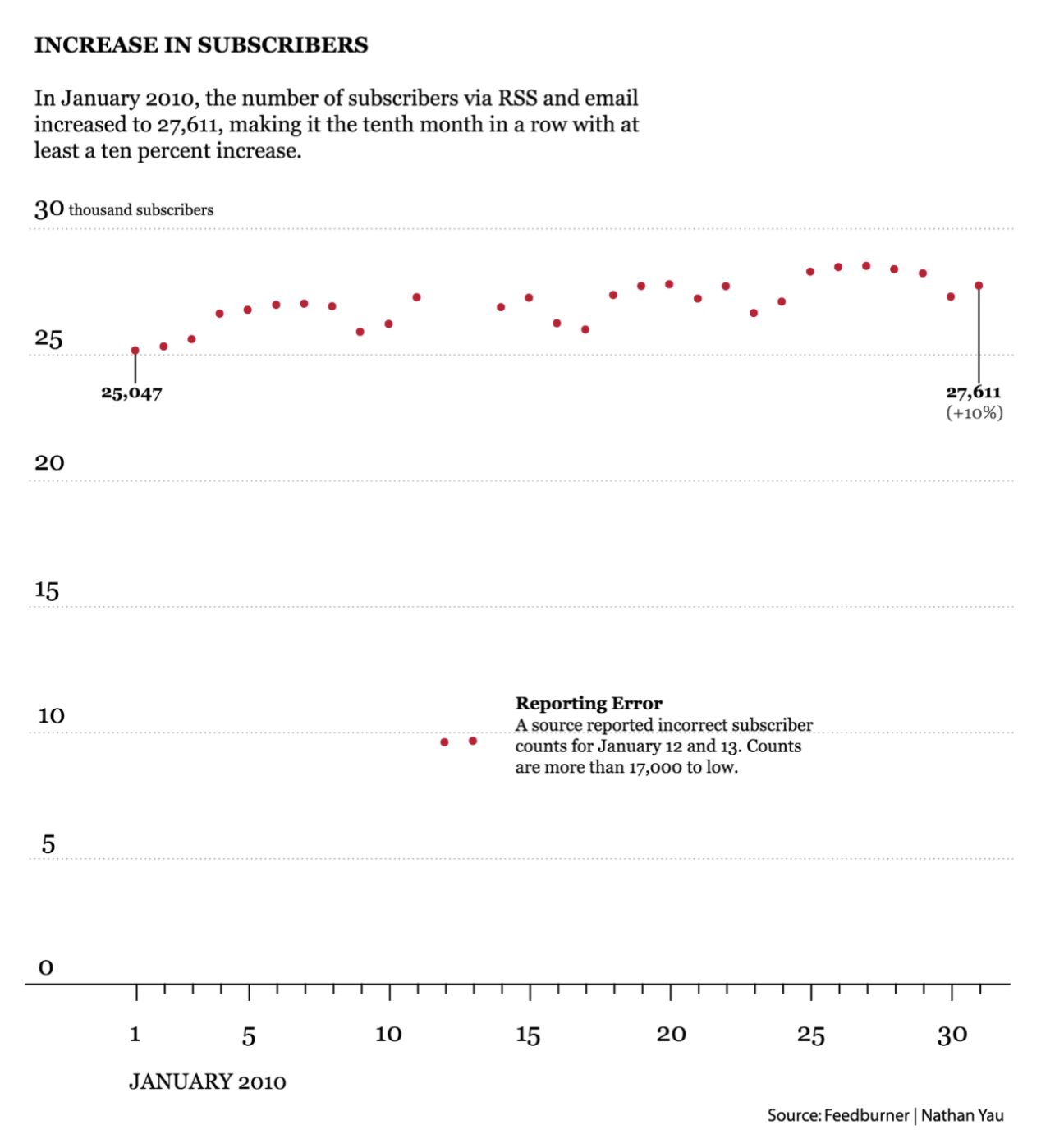
Increase in Workhours: individual observations shown as dots at discrete times.

Discrete Points — not effective to emphasize trend
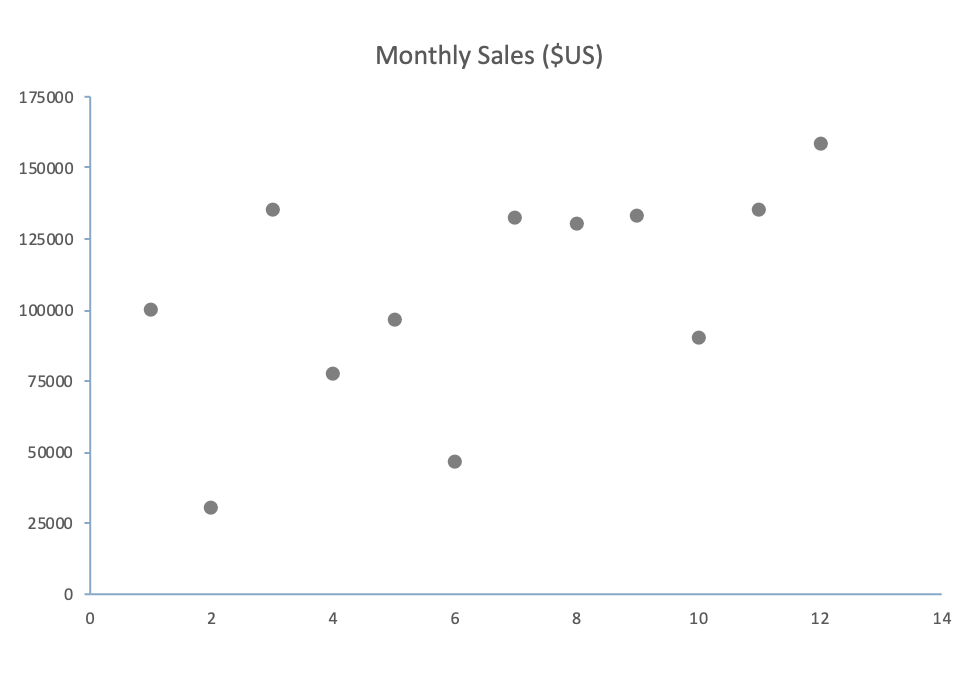
Monthly sales shown as unconnected points.

Connect the dots for continuous data

  • Makes the flow of time visible
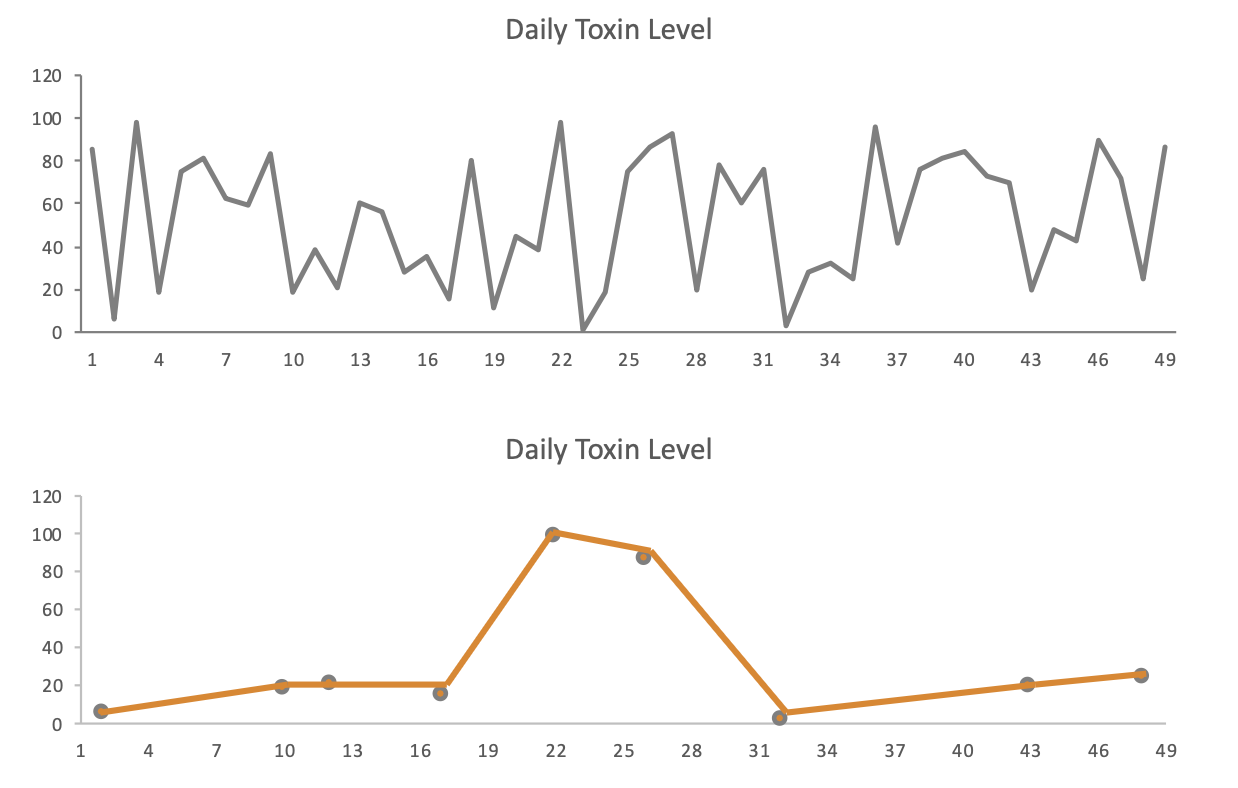
  • Caveat: Implies continuous data collected at regular intervals… Do not connect if missing data
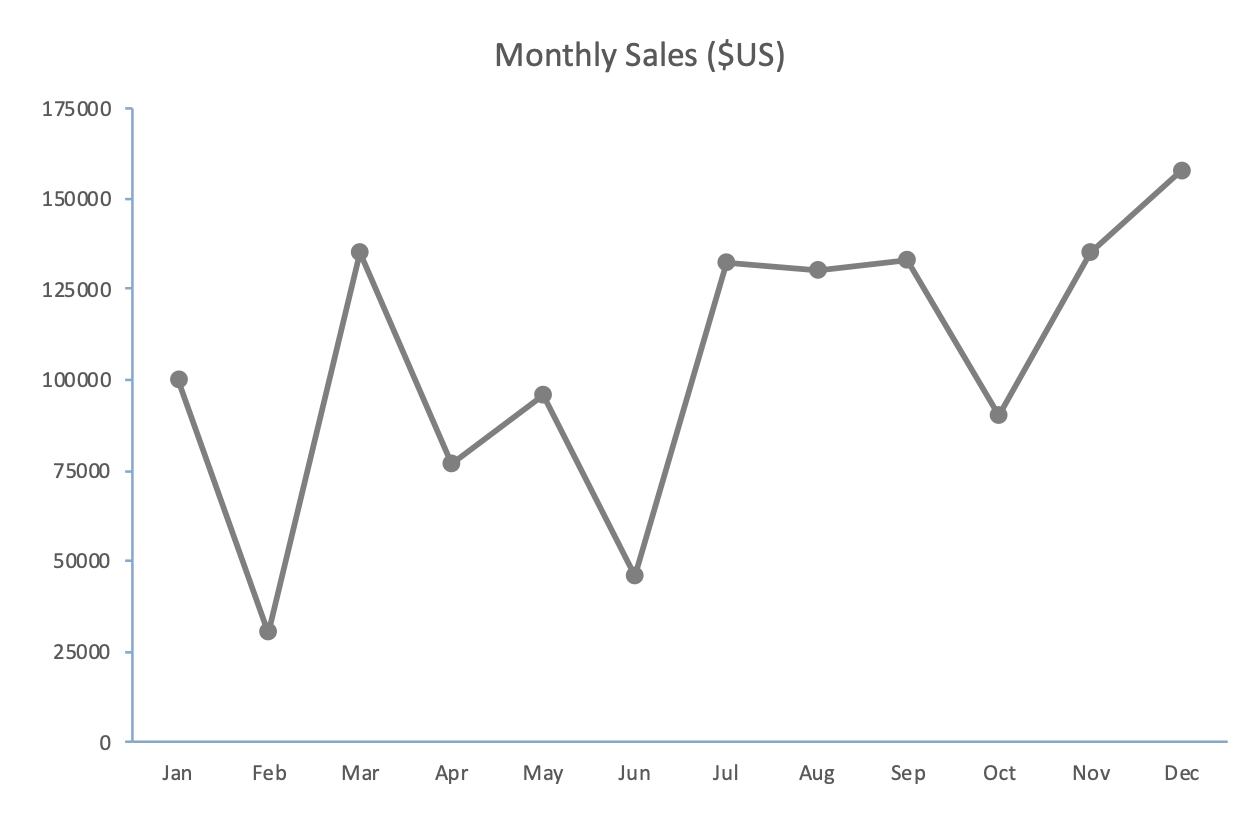
Monthly sales shown as connected points.

Connected vs. non-connected dots

Daily toxin levels shown with regularly and irregularly spaced connected observations.

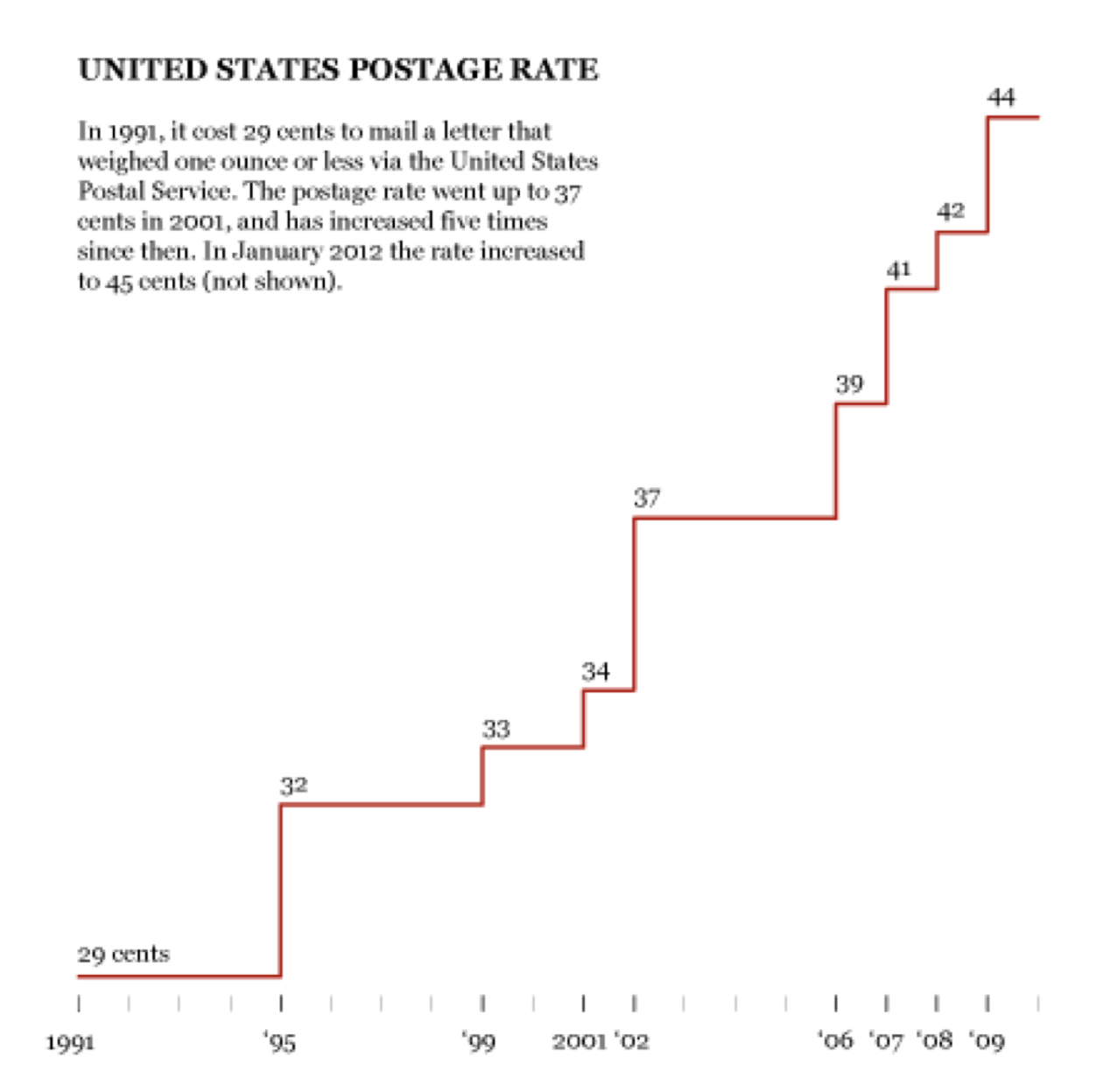
An alternative — Step Chart

United States postage rate shown as a step chart.

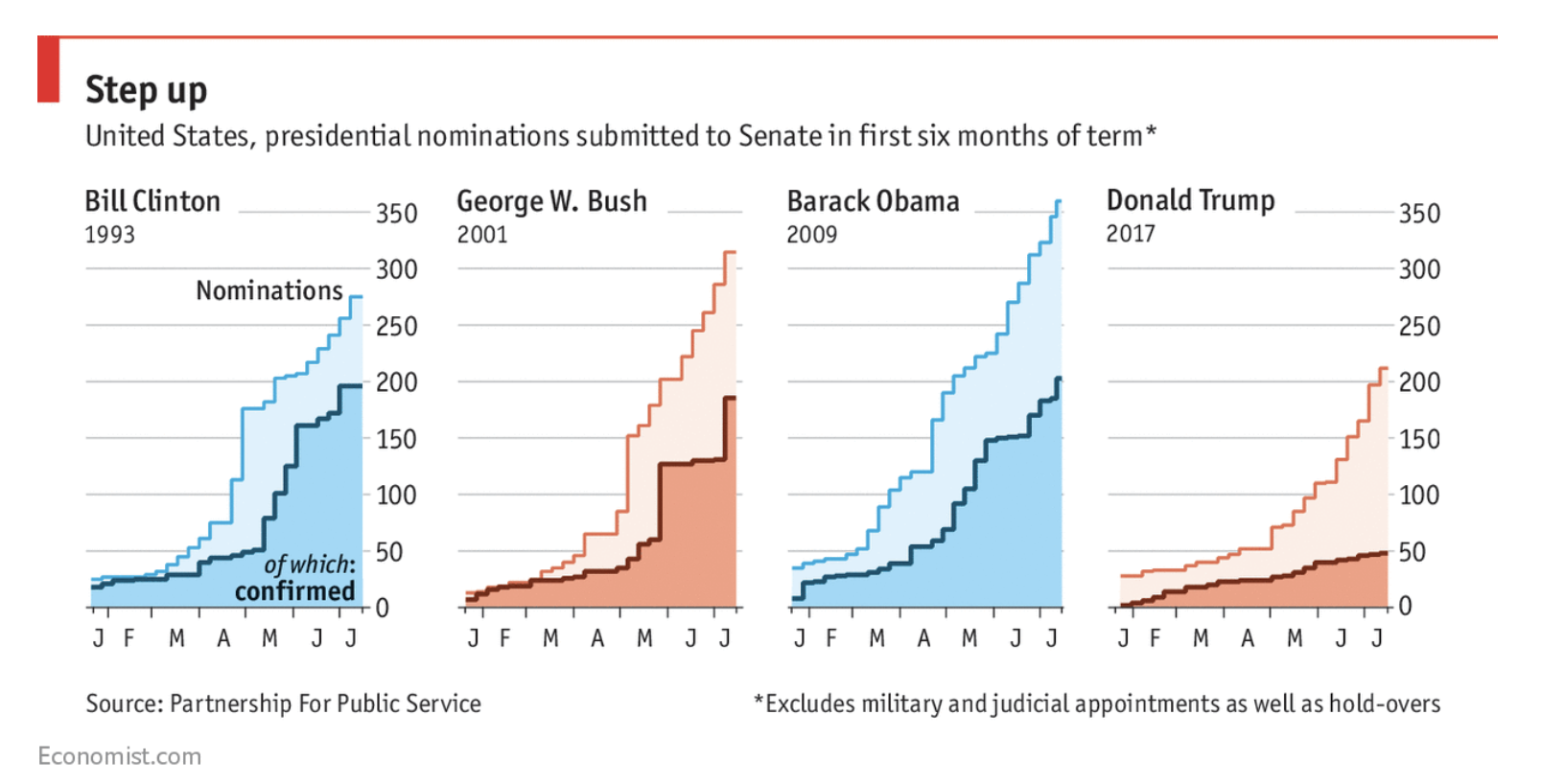
Step Chart

Step up: cumulative United States presidential nominations and confirmations in the first six months of a term.

Boxes and dots over time

Temperature range at the 2014 World Cup and movie box office receipts, shown as distributions over time.

Time series dot plot (Tableau exercise)
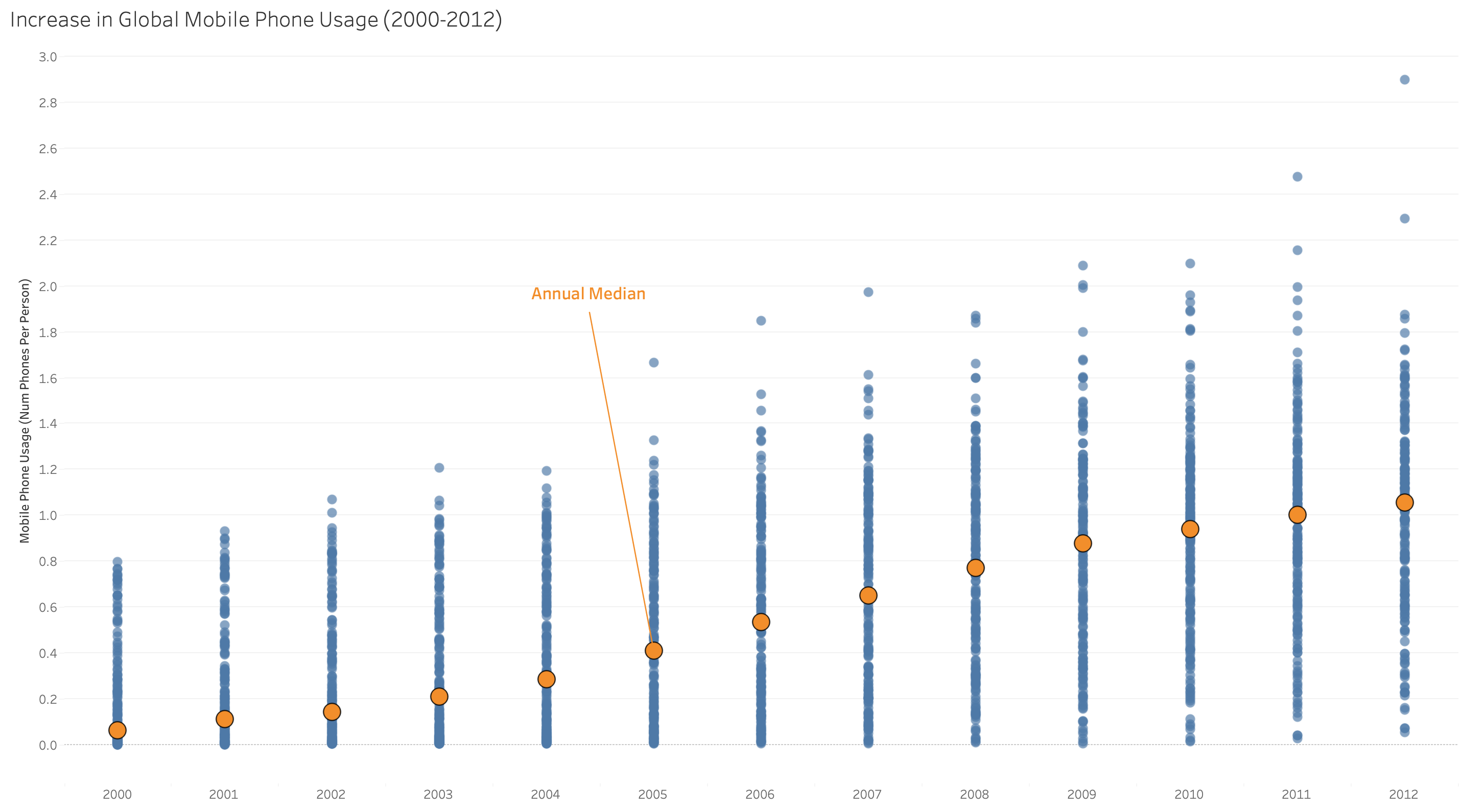
Increase in global mobile phone usage from 2000 to 2012, shown as dots with an average trendline.

Fitting, Smoothing, and Trendiness

  • When you have a lot of data, or the data is noisy, it can be hard to spot trends and patterns.
  • Trendlines make it easier to spot trends.
    • Linear models (e.g., y=mx + b)
    • Polynomial models (e.g., y=mx^2 + nx + b)
    • Logarithmic
    • Exponential
    • Moving Averages
    • LOESS curves or Local Polynomial Regression (orginally LOWESS, Locally Weighted Scatterplot Smoother)

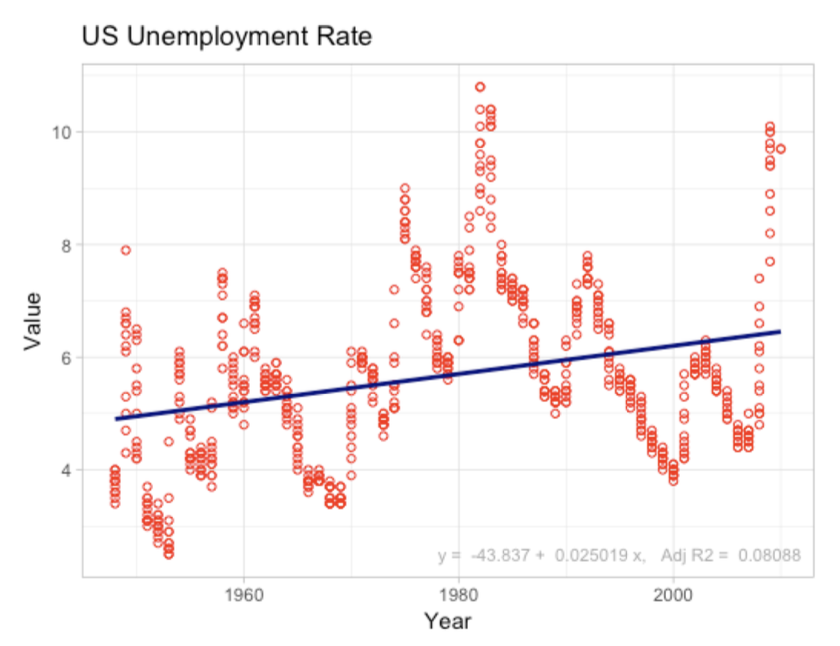
Linear trend lines

United States unemployment rate over time with a fitted linear trend.

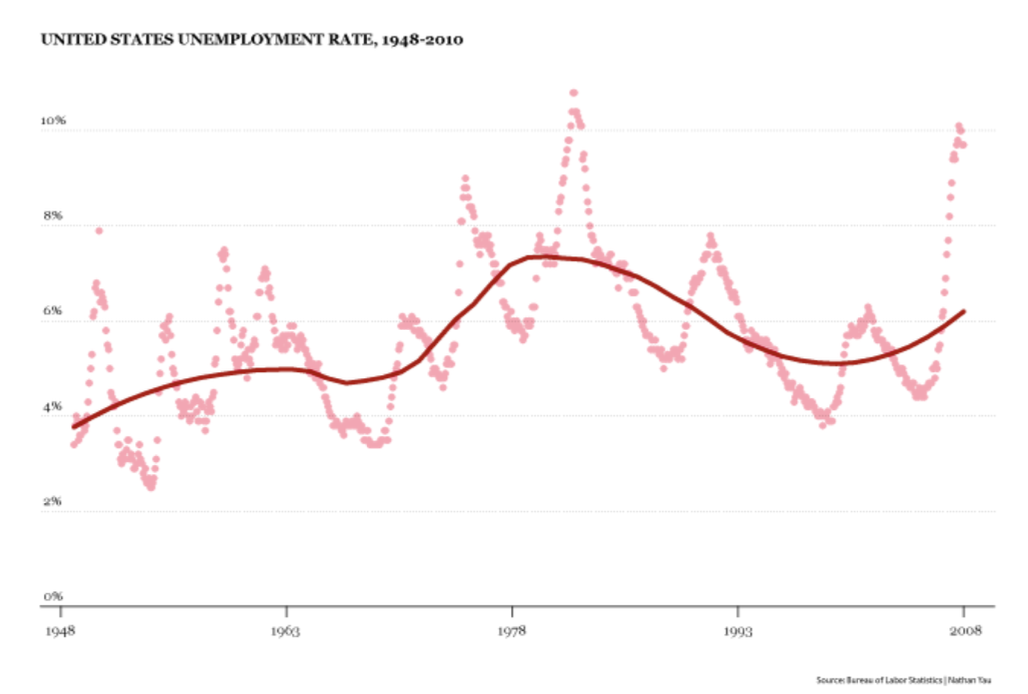
LOESS Curves

United States unemployment rate over time with a LOESS curve.

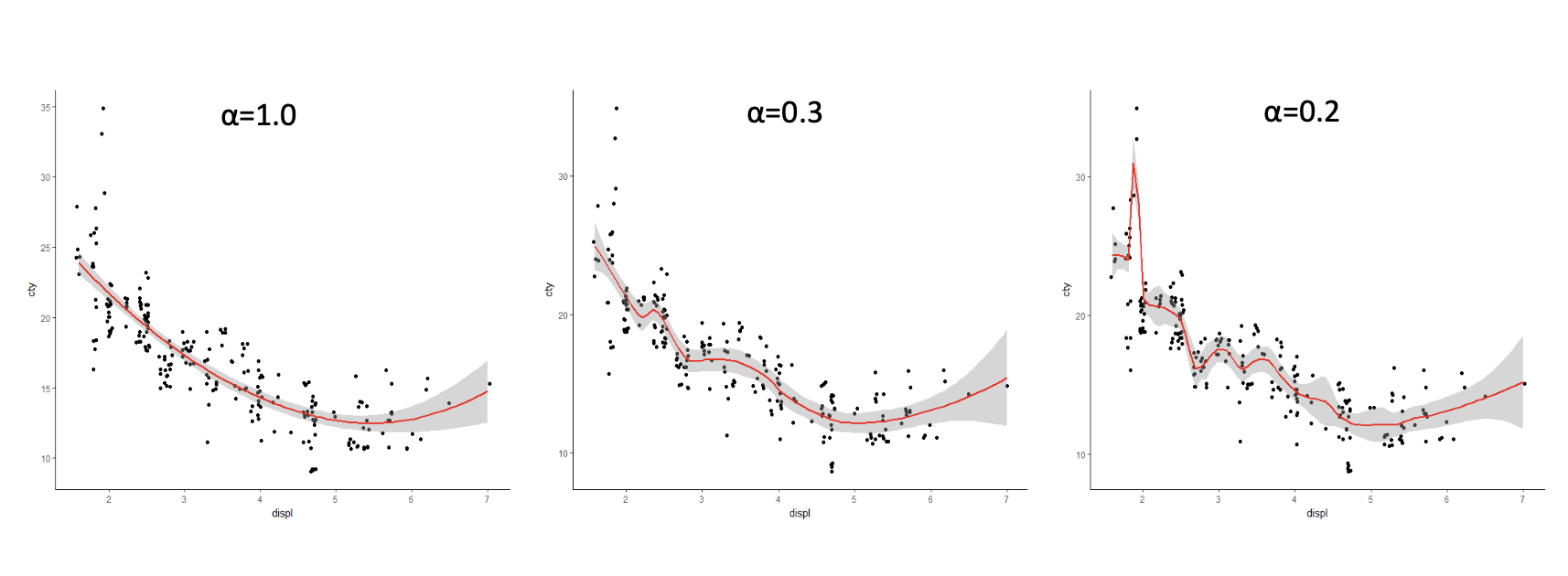
Be careful about overfitting

Three smooths with alpha 1.0, 0.3, and 0.2, illustrating how the fit changes.

Rankings

Ranking quantitative message

  • A graph displays ranking relationship when it displays how a set of quantitative values relate to each other sequentially, sorted in ascending or descending order.

Ranking Design Basics

  • Use one axis for categorical items and use the other axis for a quantitative scale.
  • Bars are almost always preferred
    • Except when the quantitative scale doesn’t begin at zero, then use points.
  • Sorting is key to effectively communicate a ranking.
    • Sort descending if highlighting the highest values
    • Sort ascending if highlighting the lowest values

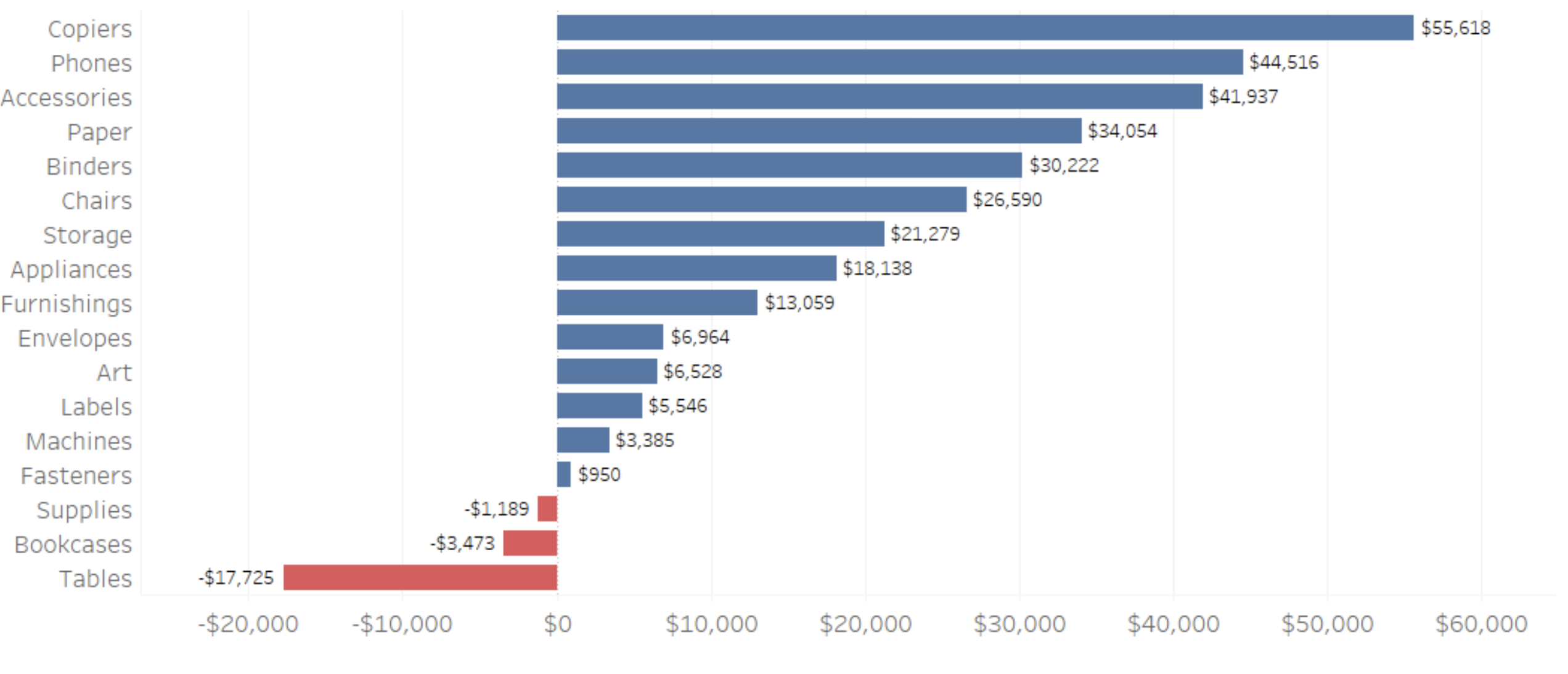
Ranking with Categories

Profit by product category, ranked from highest to lowest.

Profit

Ranking with hierarchical categories
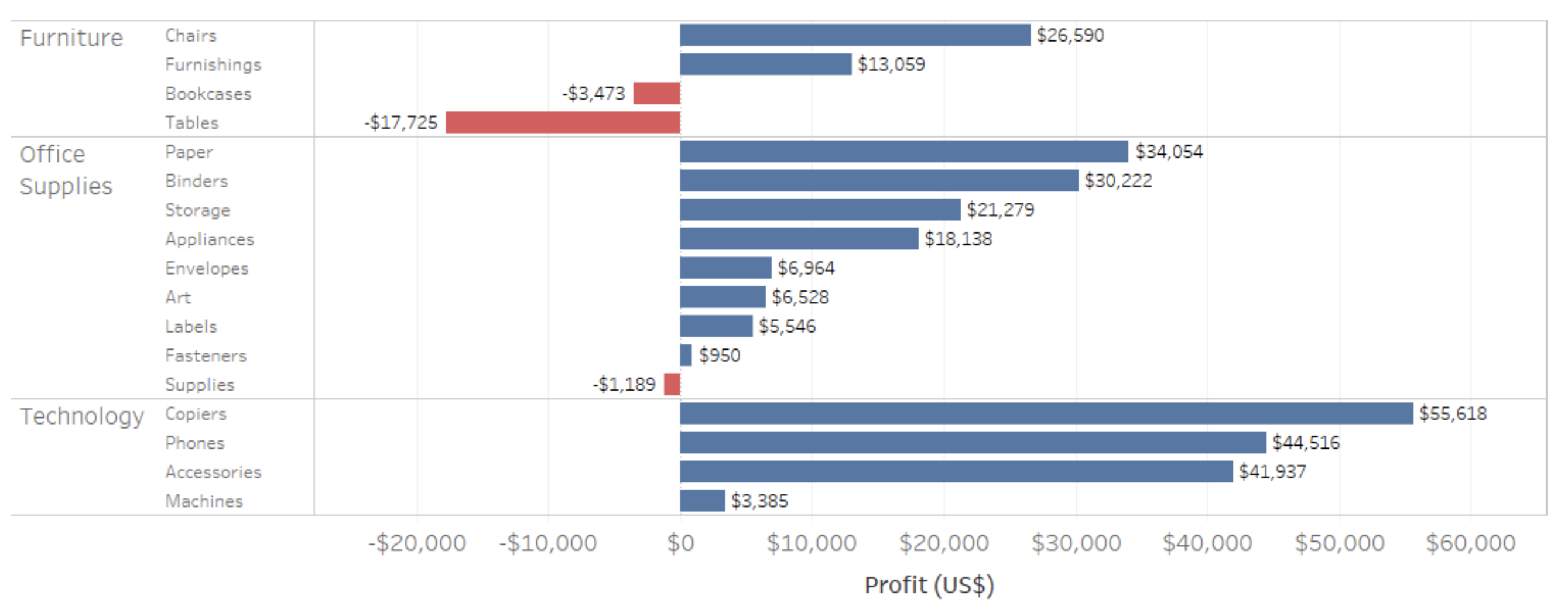
Profit ranked within furniture, office supplies, and technology hierarchies.

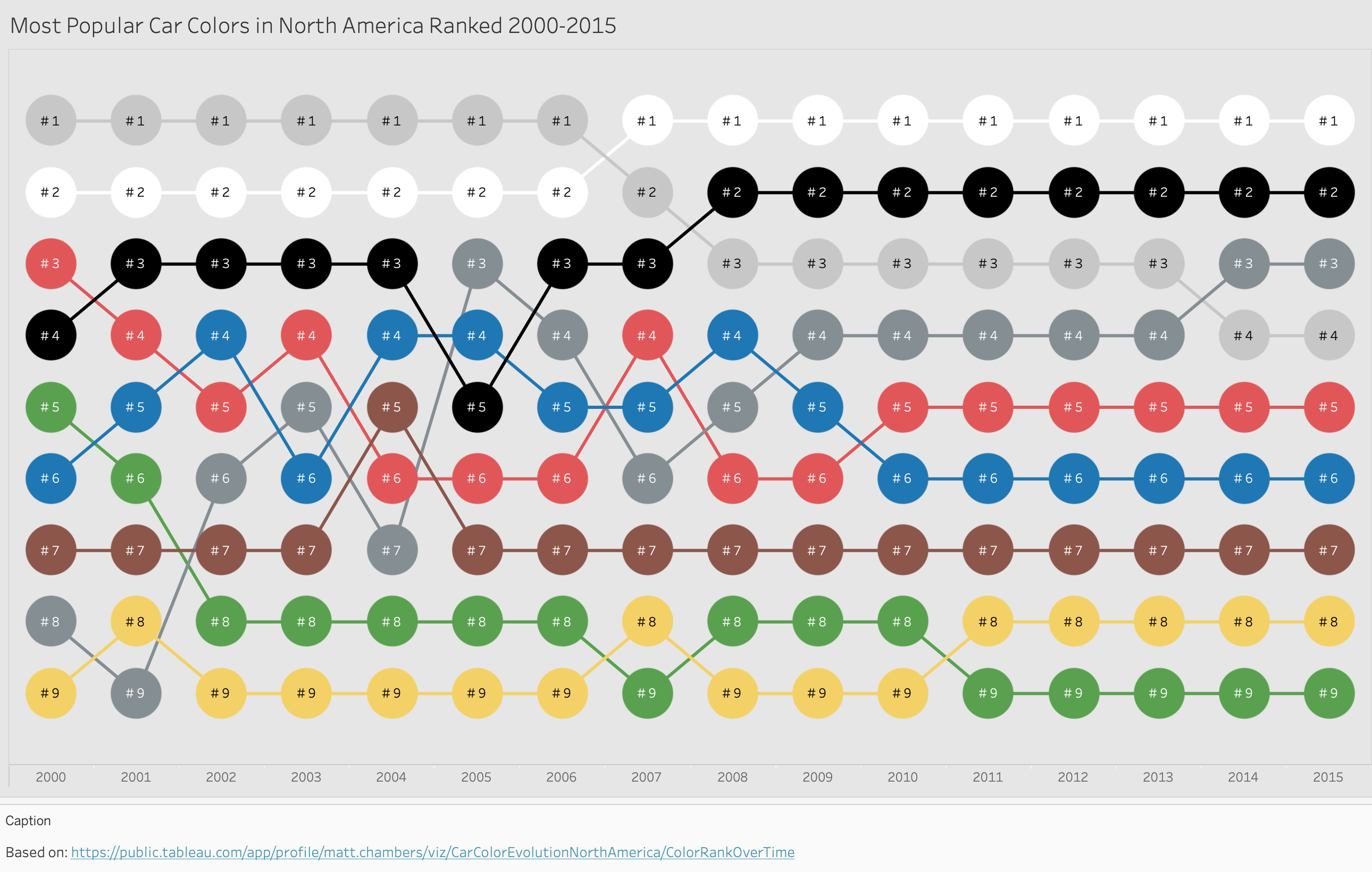
Bump charts to compare rankings over time
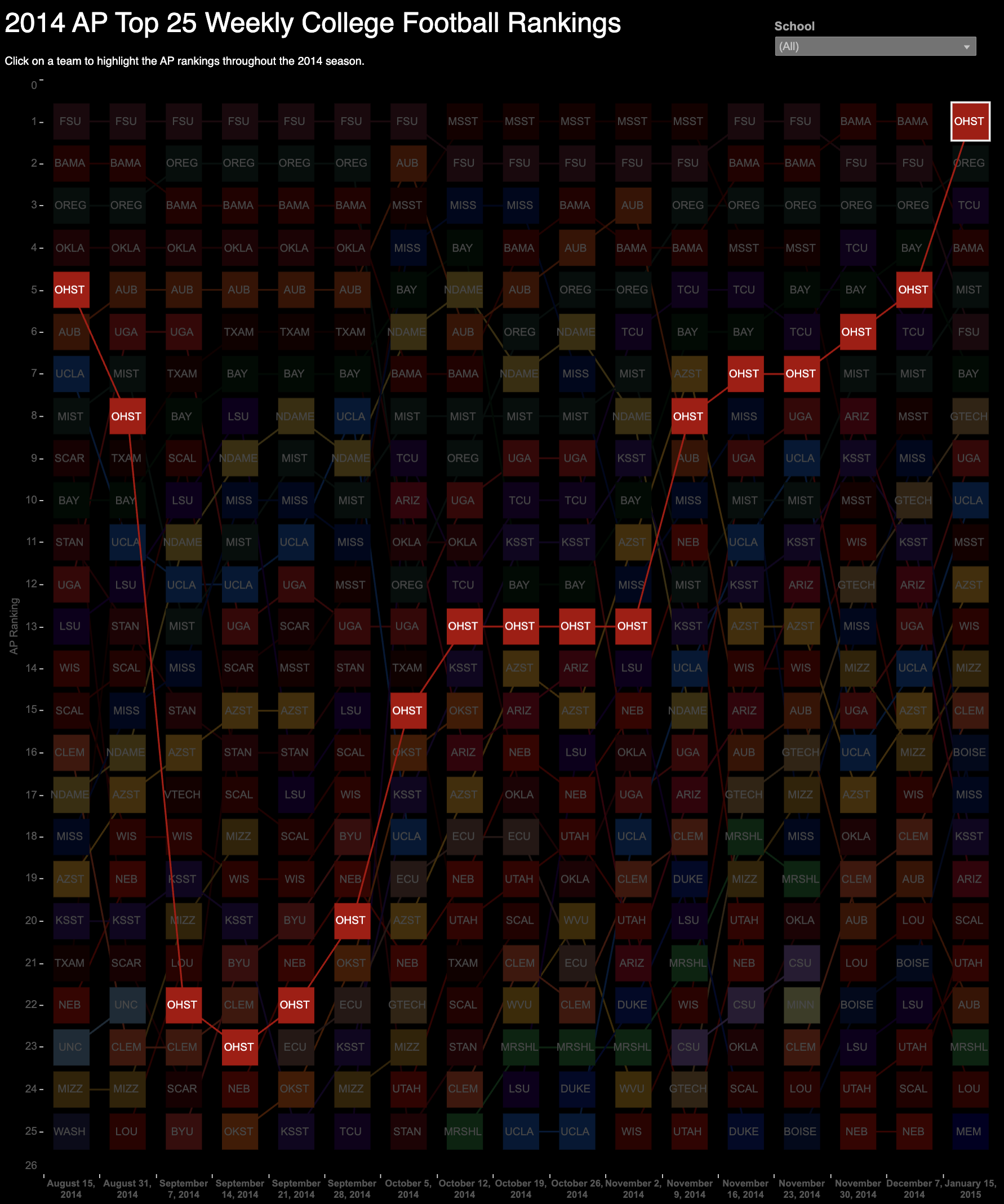
2014 AP Top 25 weekly college football rankings shown as a bump chart.

Bump Chart (Tableau exercise)

Most popular car colors in North America from 2000 to 2015, shown as a bump chart.

Part-to-Whole Relationships

Part-to-whole Relationships

  • A graph displays part-to-whole relationships when it features how individual values that make up the whole of something (e.g., total sales) compare to each other and the whole.
  • Individual values in a part-to-whole relationship will be expressed as ratios, either percentages that sum to 100% or rates that sum to 1.

The dreaded Pie and Donut Chart

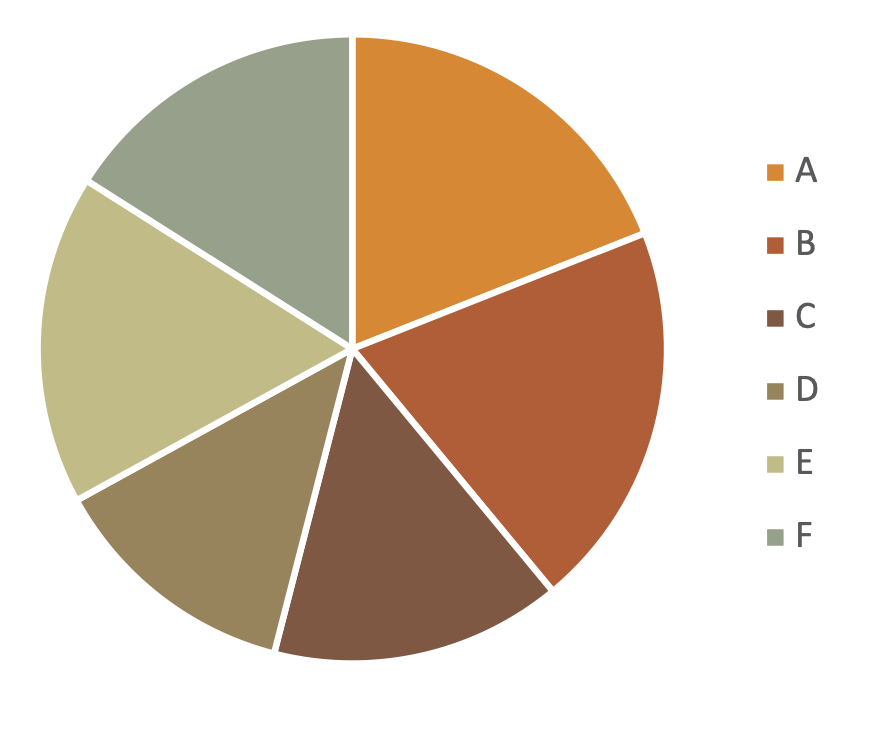
  • Why are these charts get a bad rap?

A pie chart whose slices are labeled A through G.

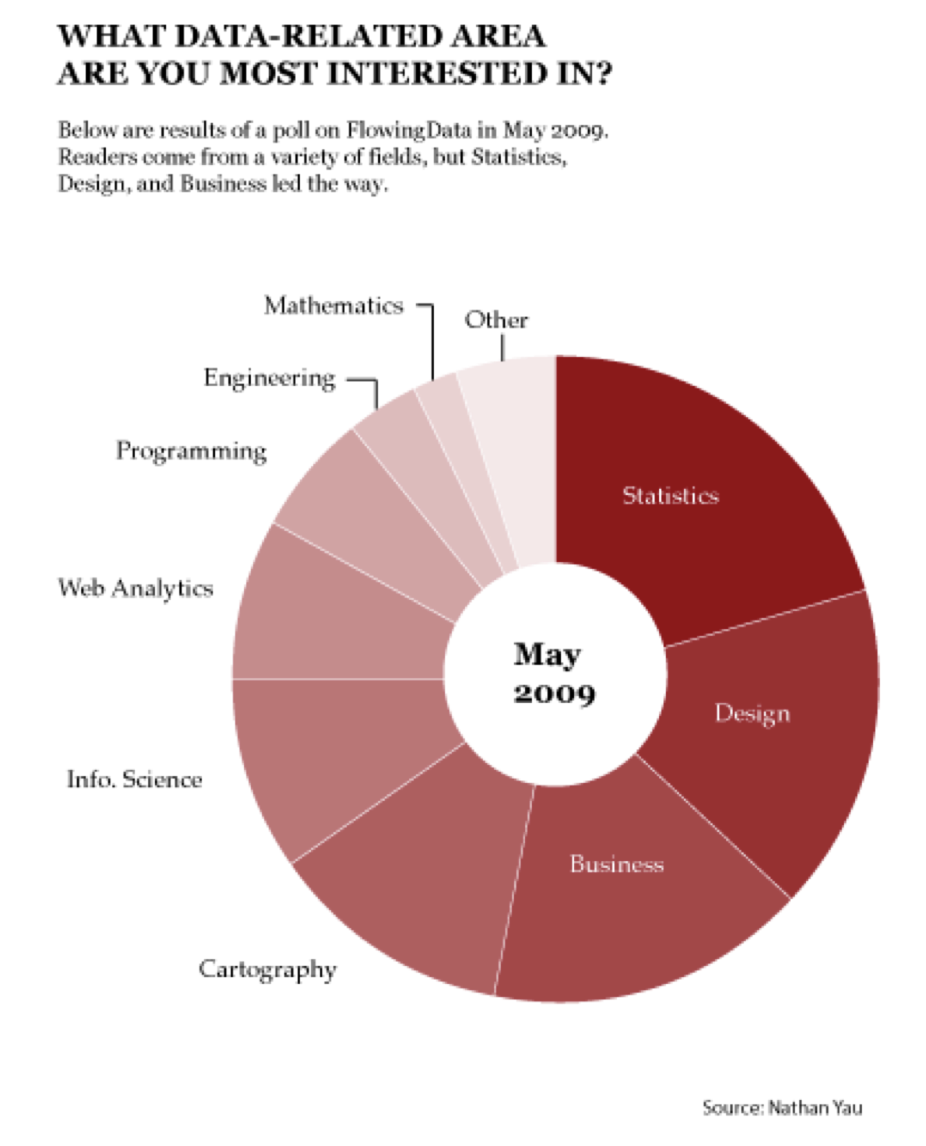
What Data Would Yoda Make? A donut chart of May sales, with categories and subcategories.

Use stacked bar charts instead

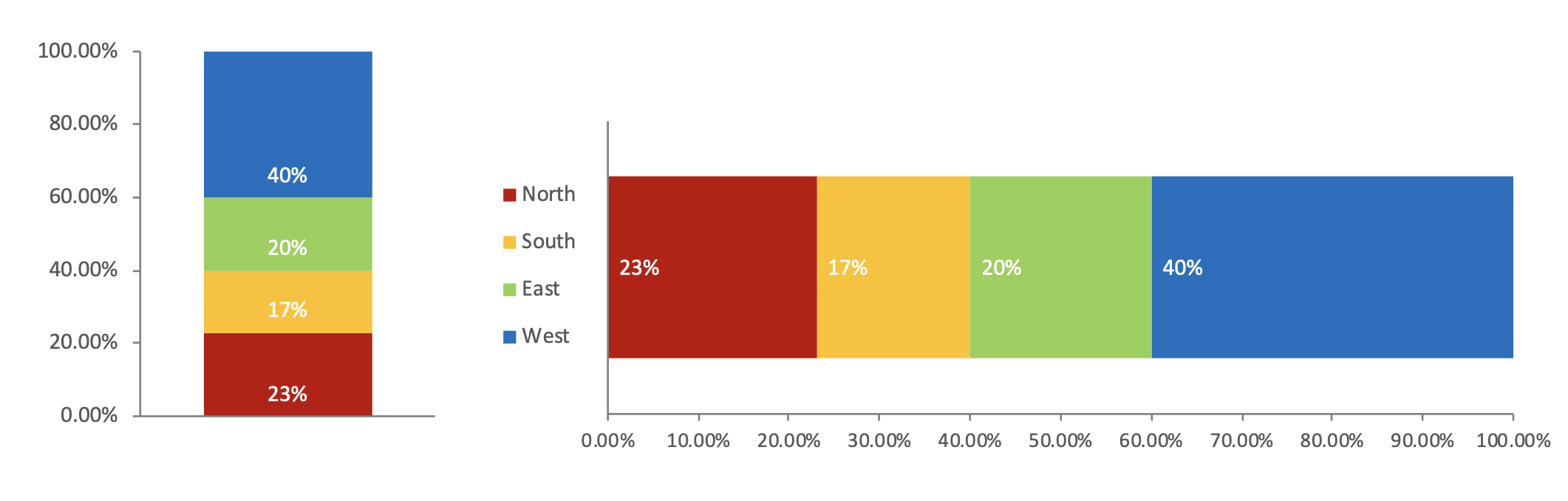
The same regional percentages shown in vertical and horizontal stacked bars.

Alternate Design

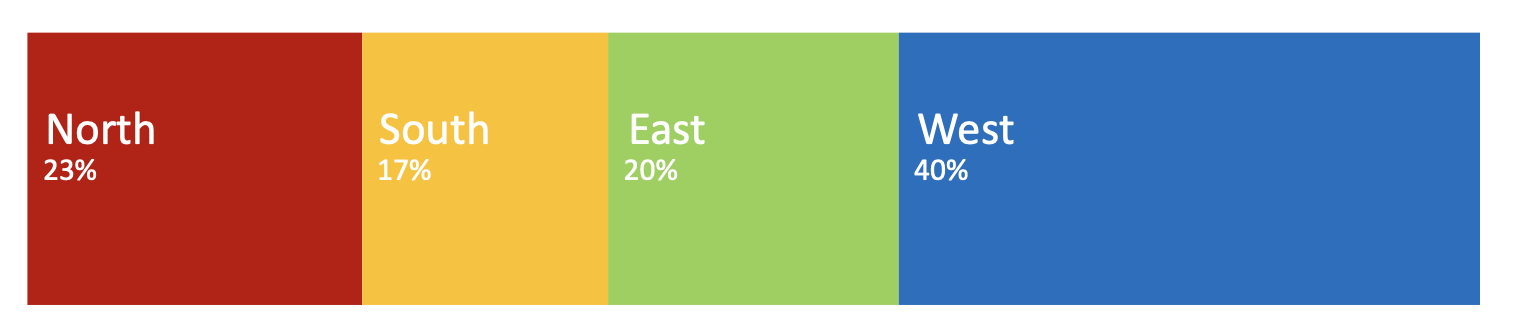
A horizontal bar split into North 23 percent, South 17 percent, East 20 percent, and West 40 percent.

Proportions by category (Tableau exercise)
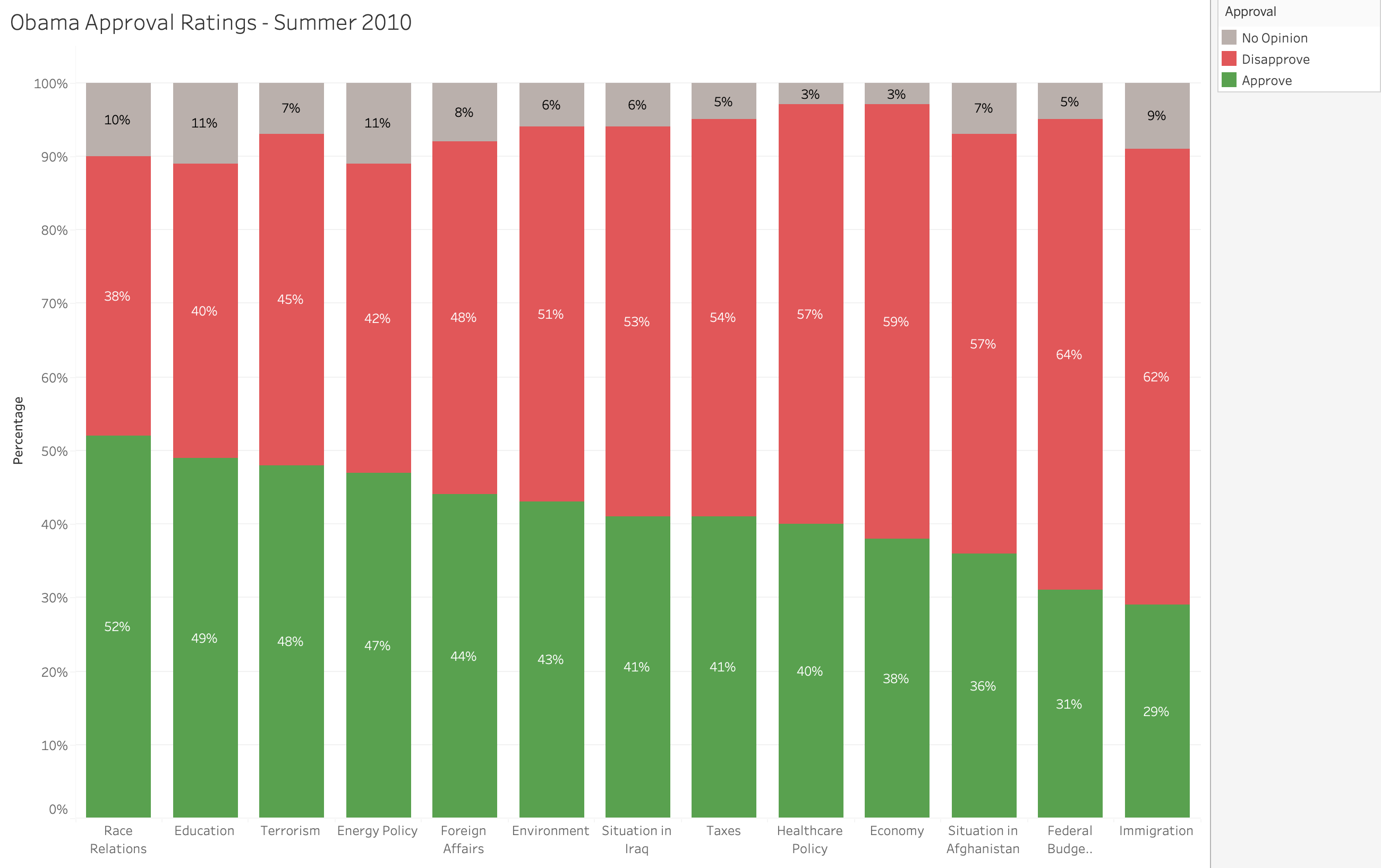
Obama approval ratings in summer 2010, shown as stacked percentage bars by category.

Tree maps for hierarchical proportions
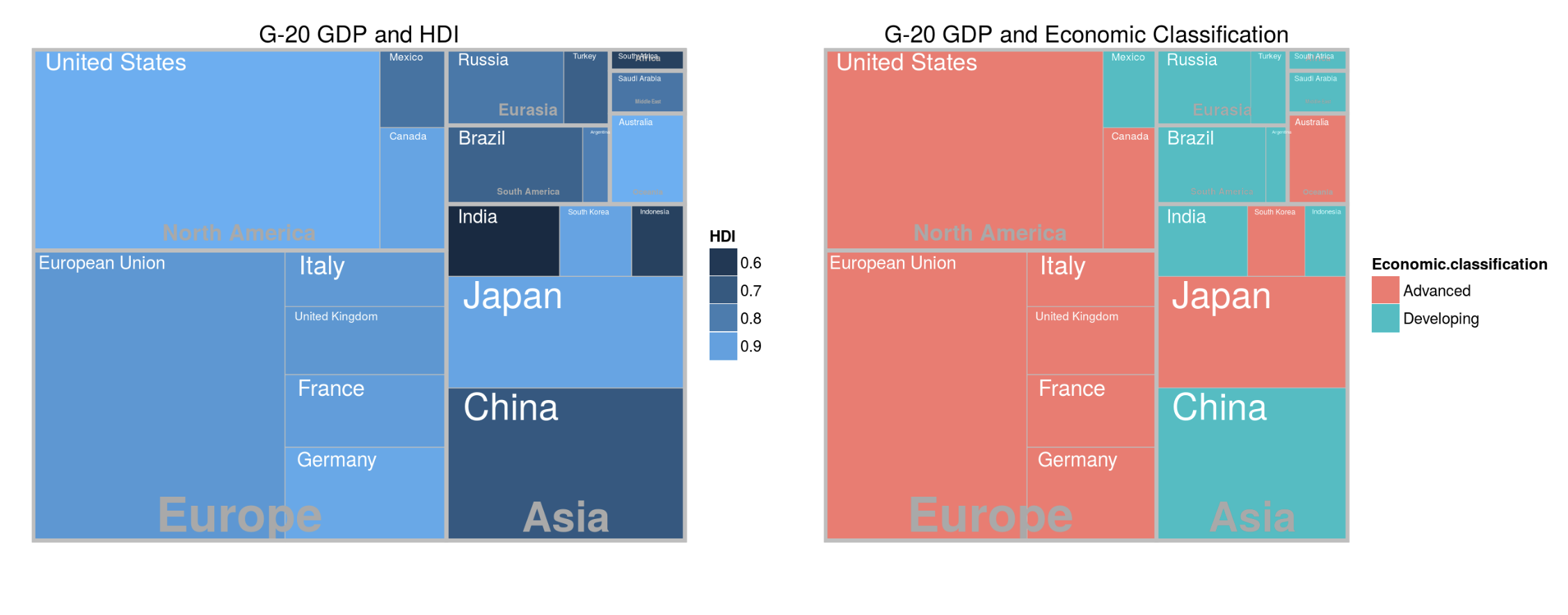
GDP and human development, and GDP and economic classification, shown as treemaps.

Tableau Tree map tutorial

Area charts for proportions over time
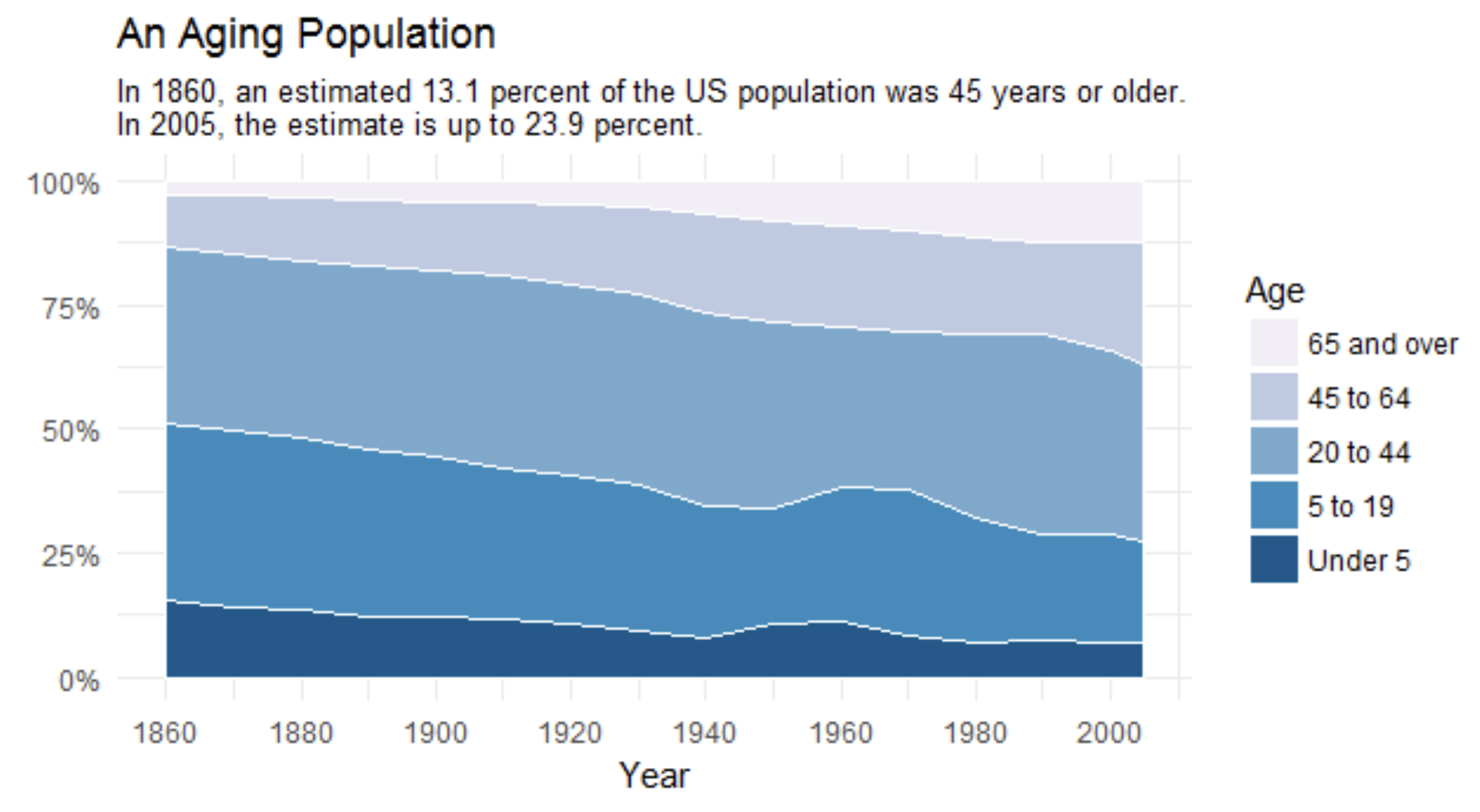
An Aging Population: age-group shares of the United States population from 1860 to 2005.

Deviations

Deviation designs

  • Deviation relationships feature how one or more sets of quantitative values differ from a reference set of values
  • Deviations are usually expressed with
    • +/- amounts relative to the reference values (often times the average, a benchmark, or target)
    • +/- rates or percentages relative to reference value of 0%
    • Rates or percentages relative to a reference value of 100%

Examples of deviation

  • The degree to which actual worker productivity differs from target productivity
  • The degree to which donations over time differ from donations at some specific time in the past
  • The degree to which ticket sales in each month varied from ticket sales in the previous month
  • The degree to which sales of a product differ from sales of a particular product

Deviation designs

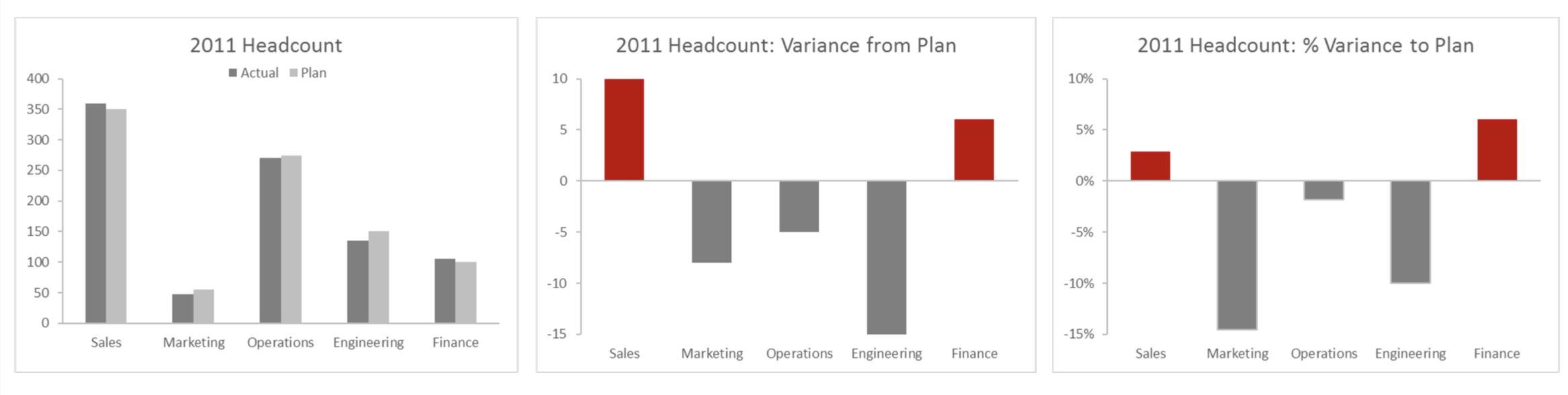
2011 headcount, variance from plan, and percentage variance from plan for five departments.

Percent Deviations

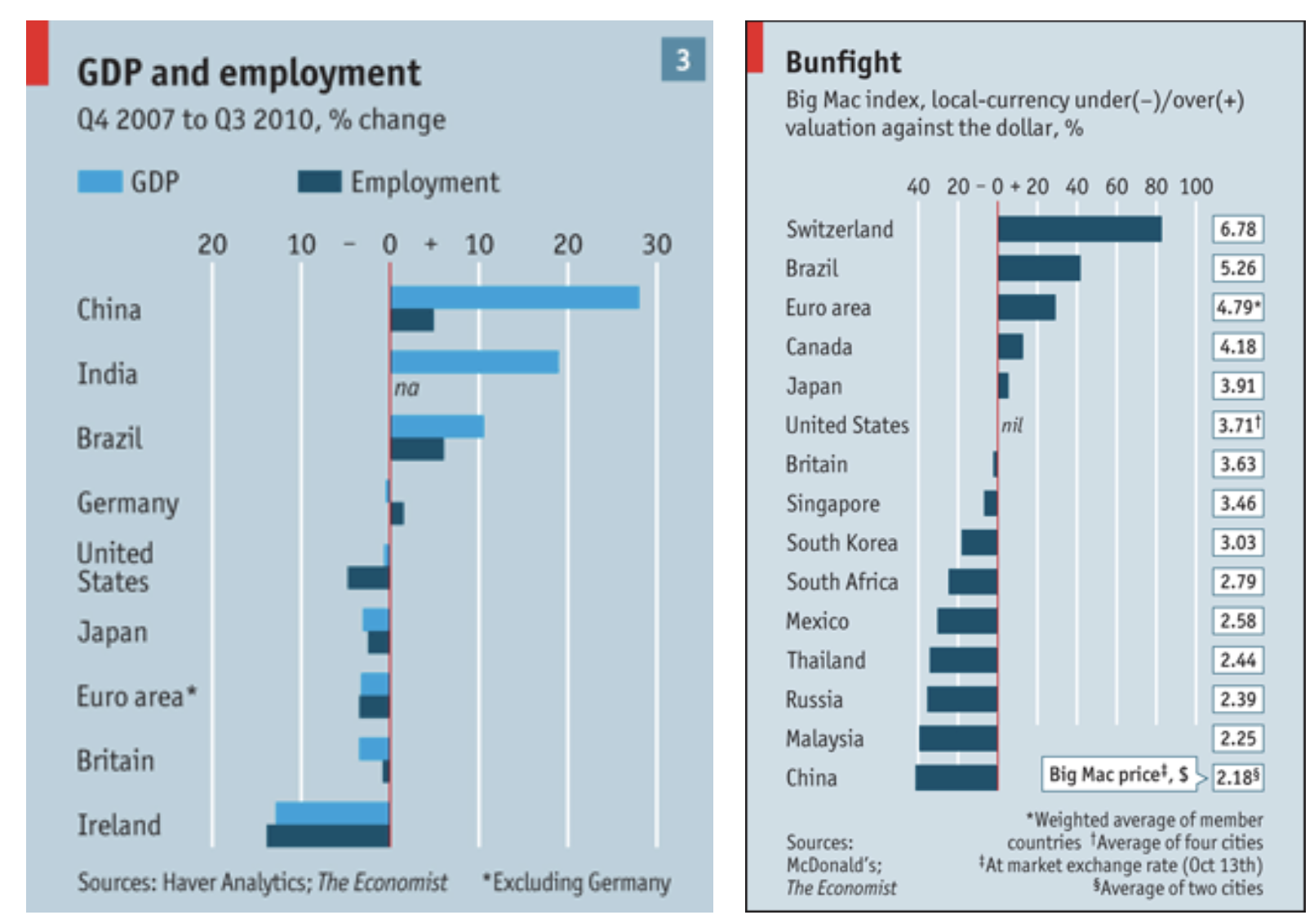
GDP and employment changes and a bullfight comparison, shown as percentage deviation bars.

Deviation with time series

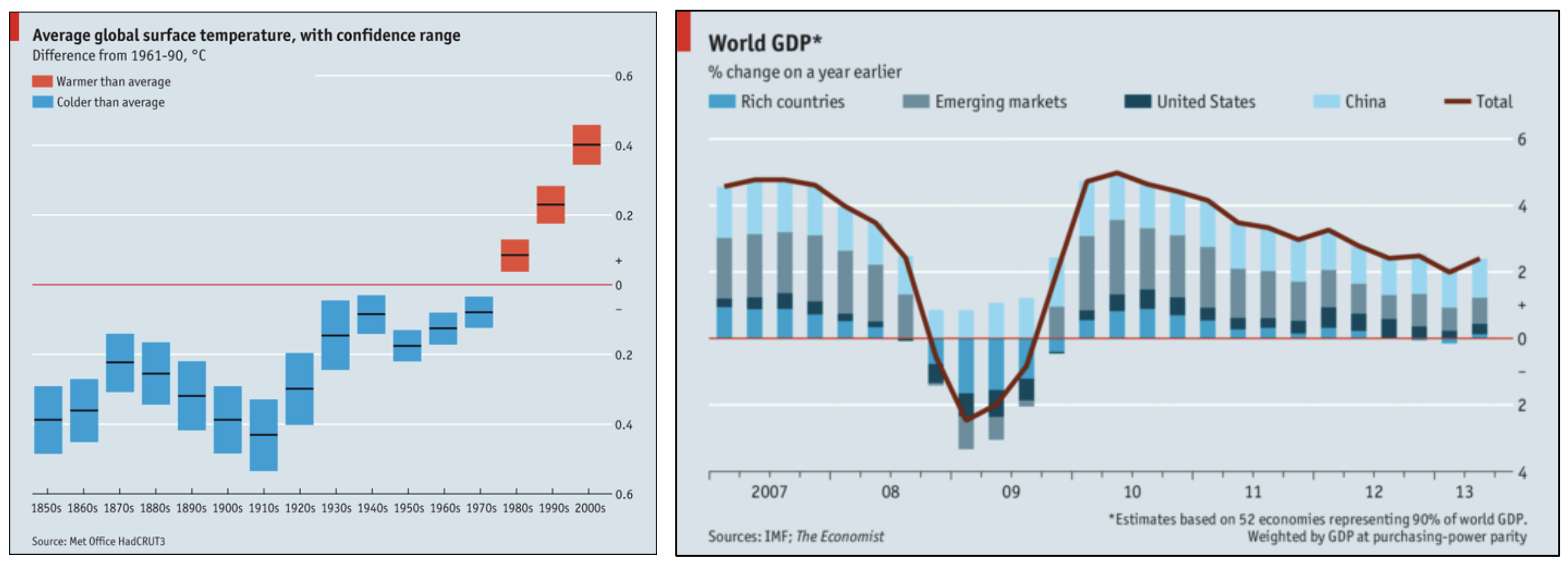
Average global surface temperature anomalies and world GDP changes, shown as deviations over time.

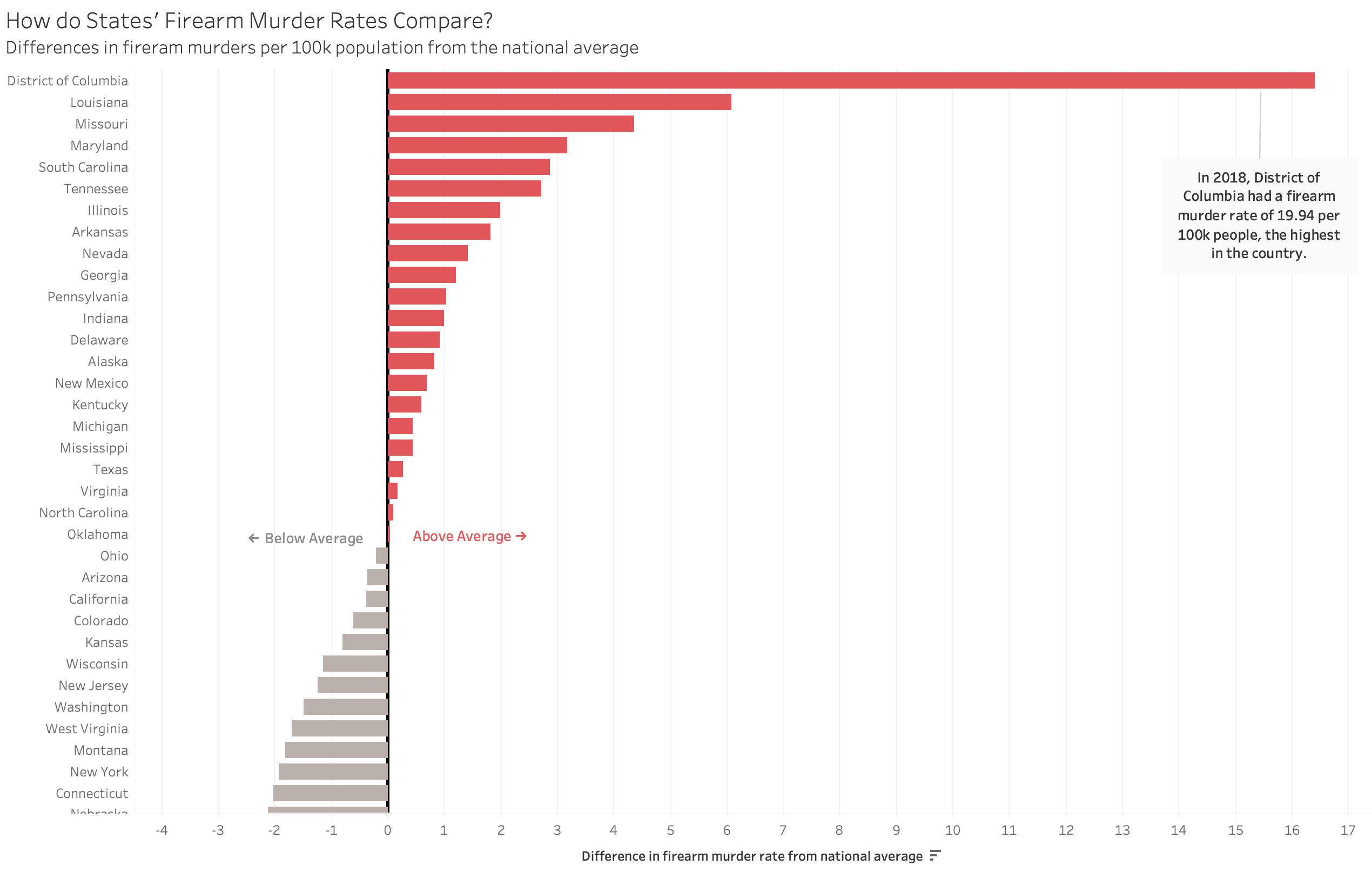
Deviation chart — Tableau exercise

How do states firearm murder rates compare? Deviations from the national average.

Geospatial

Geospatial design

  • Display features where quantitative values are located and the relationship is primarily spatial
  • Typically, geographic maps serve as the background with longitude and latitude as the axes
    • Do NOT just plot lat/lon on x/y axis without a background
  • Common ways to encode values on maps
    • Points of varying size
    • Points of areas varying color intensity
    • Color intensities applied directly to geographical regions
    • Lines of varying thicknesses or color intensities

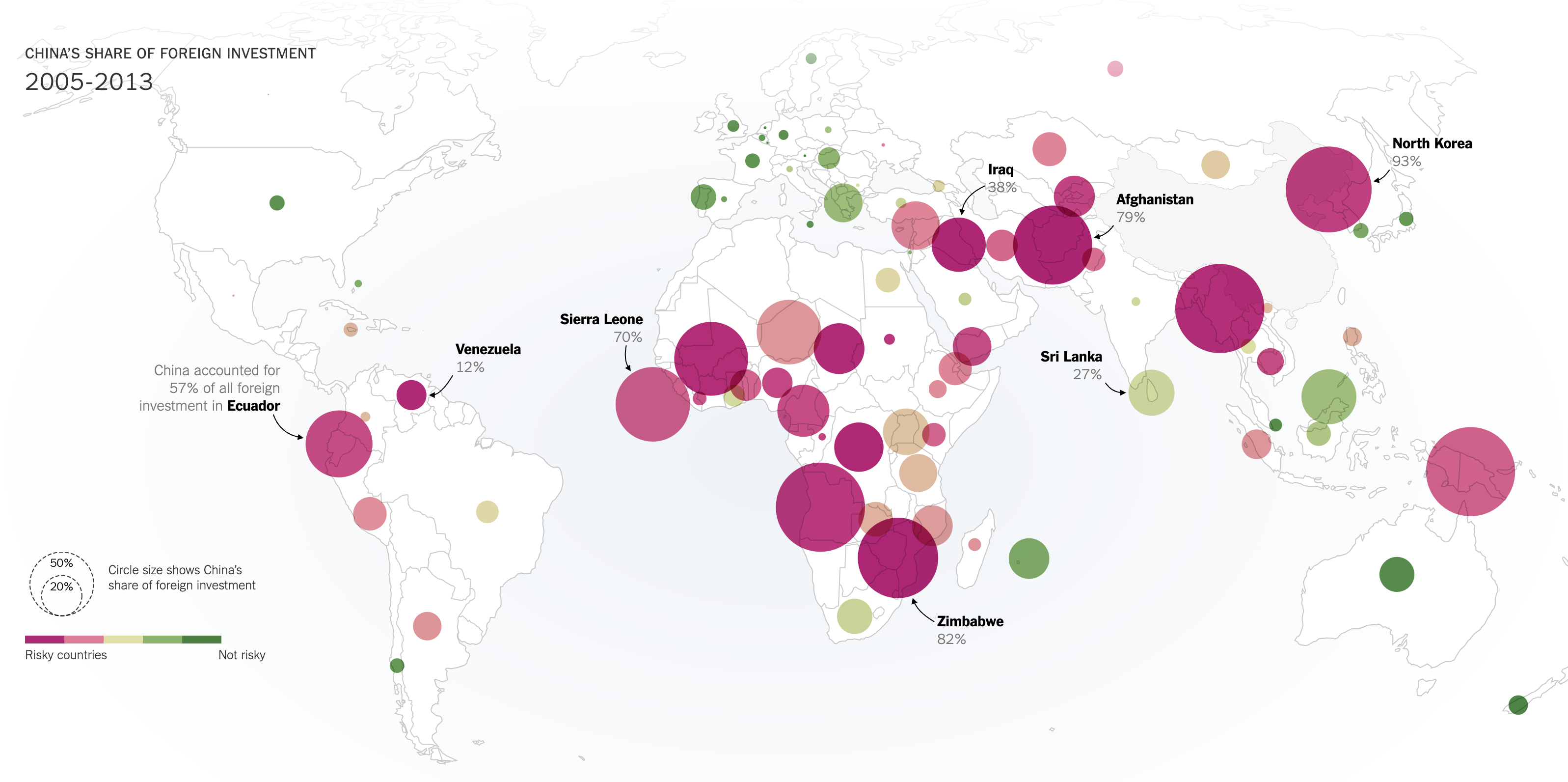
Bubble map

Chinas direct foreign investment from 2005 to 2013, shown as bubbles on a world map.

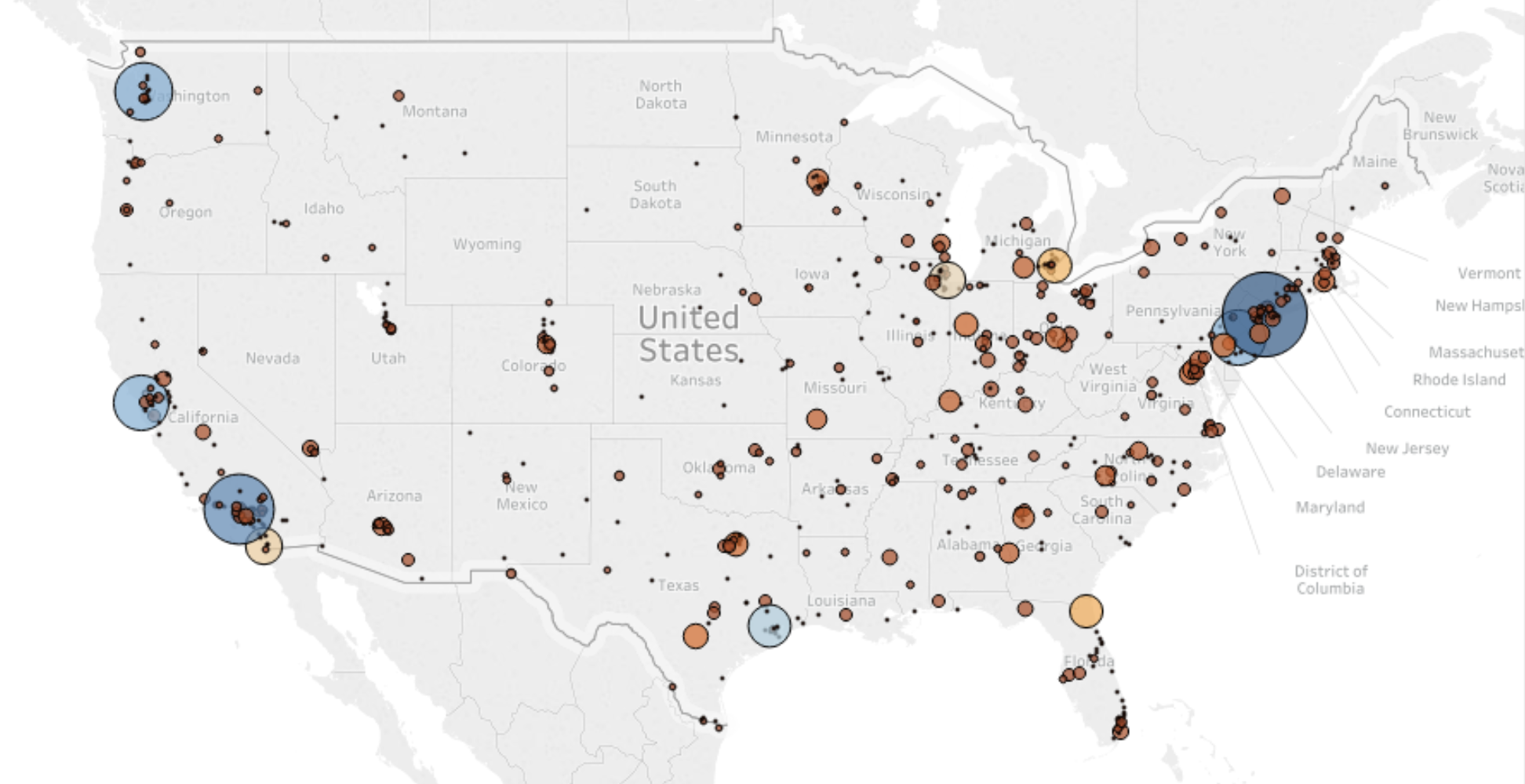
Bubble map — Tableau exercise

Different sized bubbles across the United States, with local geographic details.

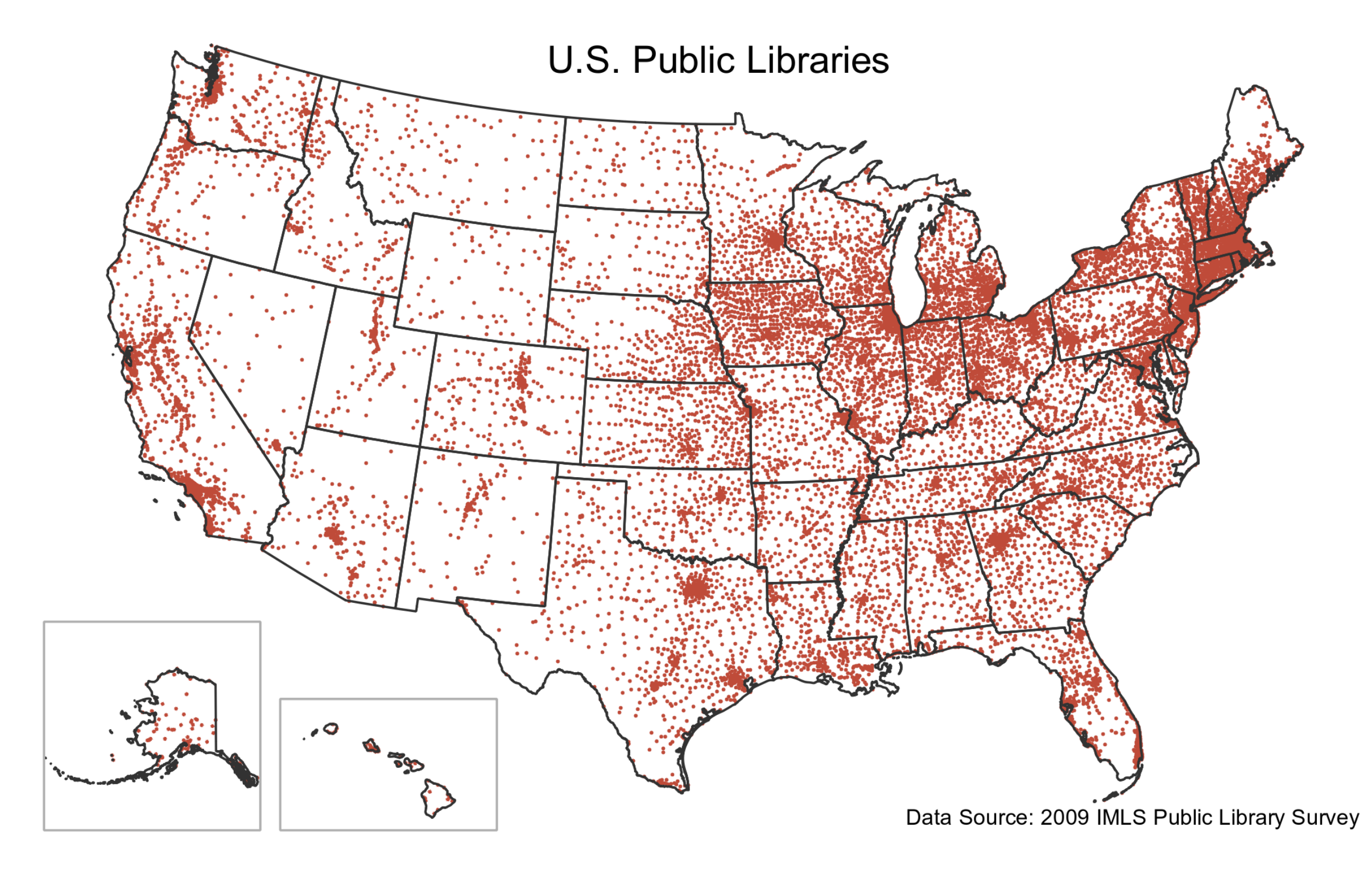
Dot map

United States public libraries shown as dots on a map.

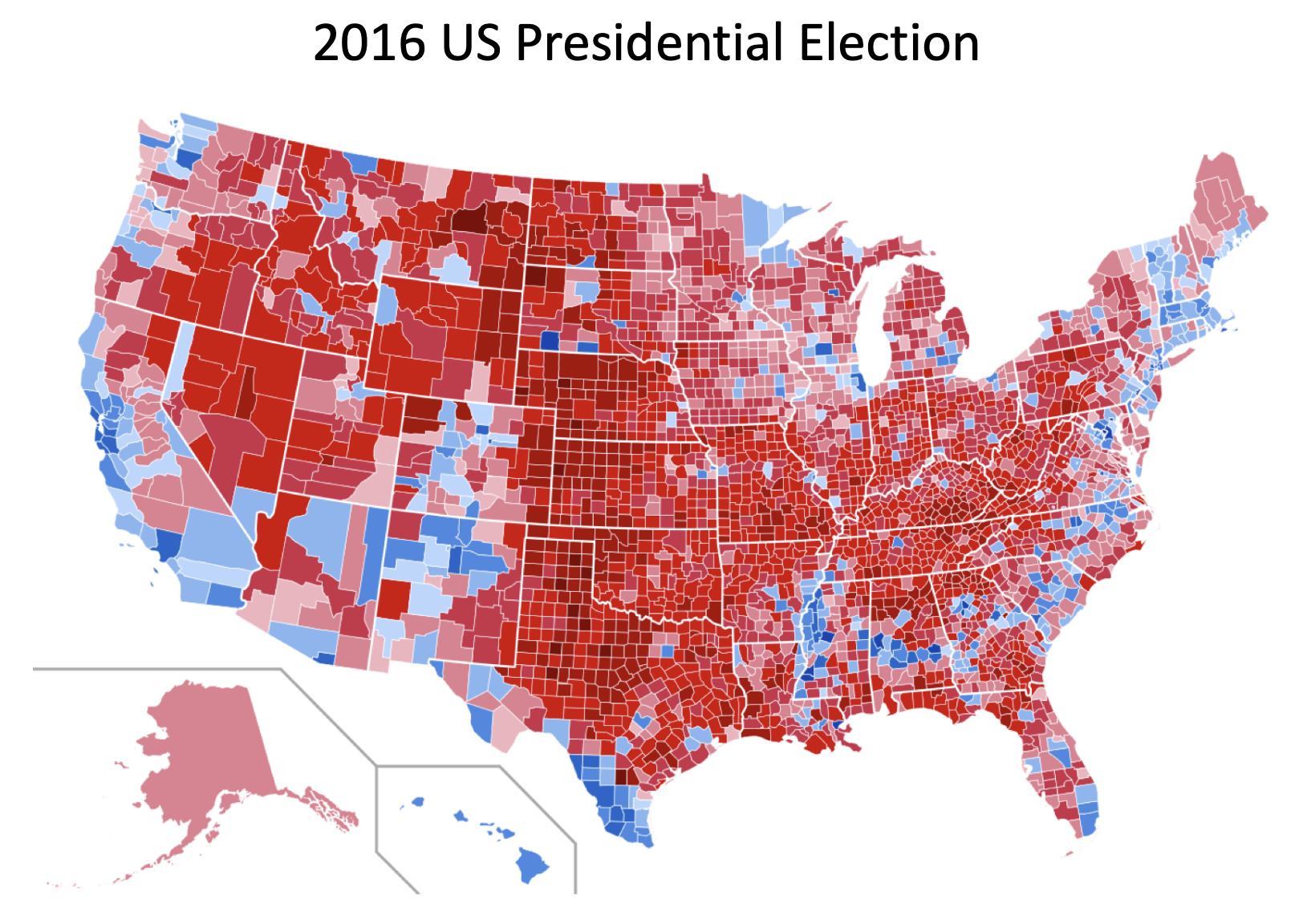
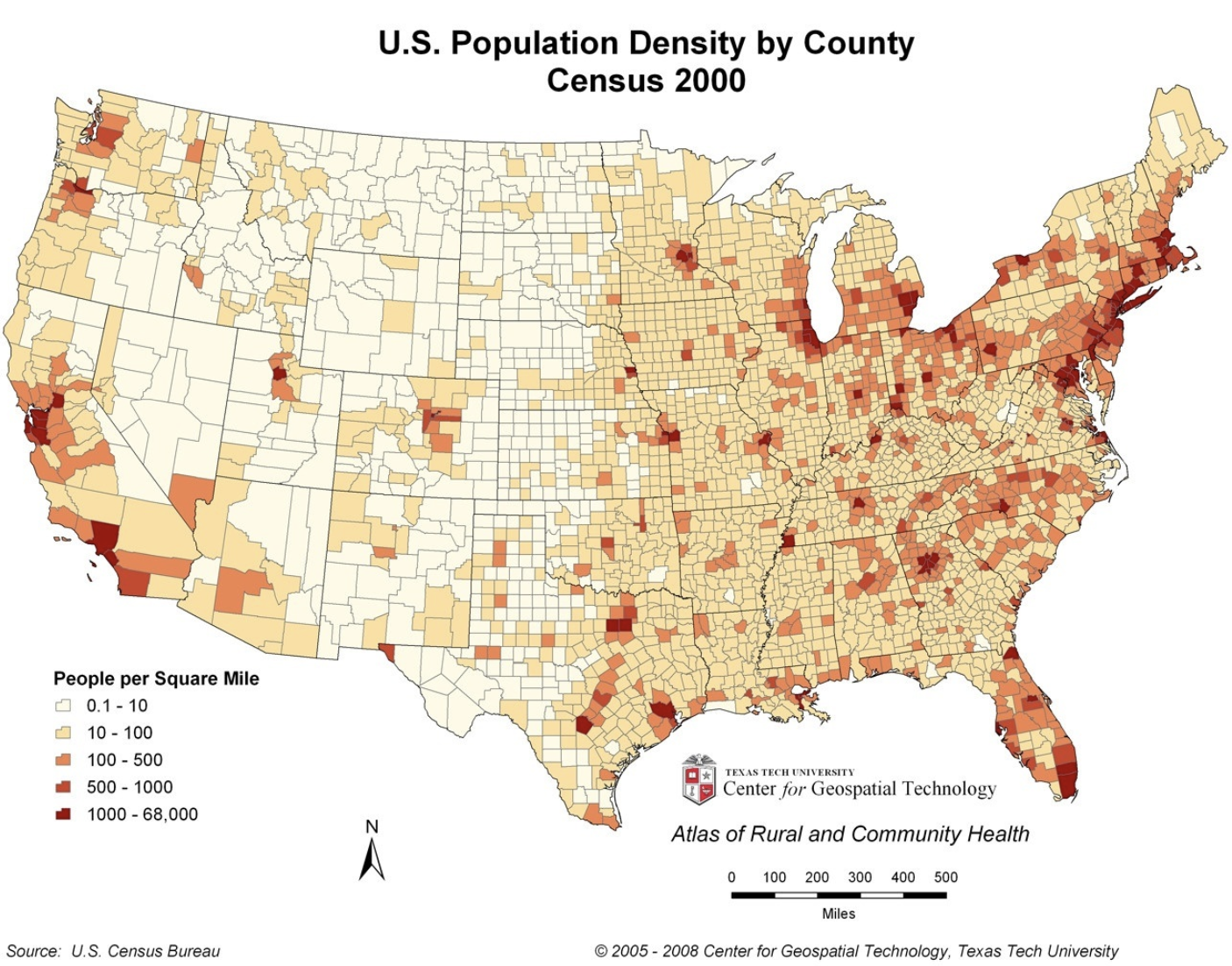
Choropleths

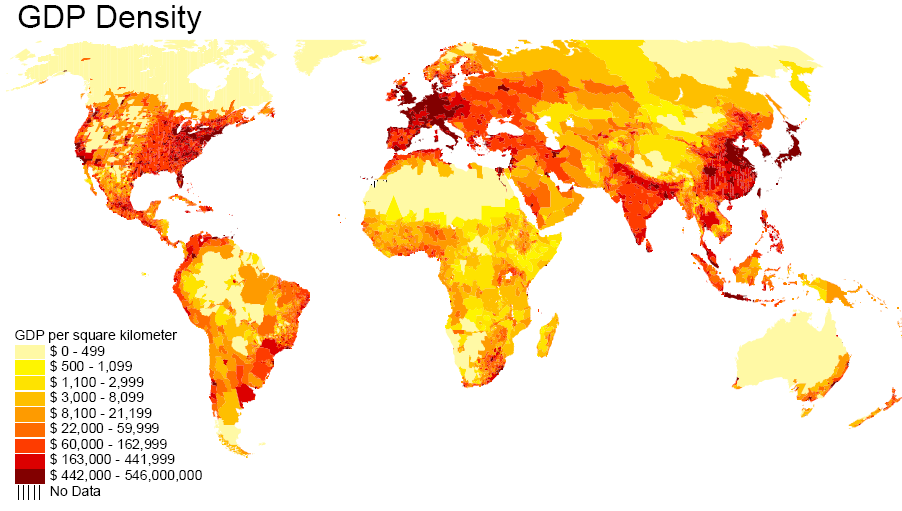
  • They show maps divided into smaller geographical regions/areas, and highlight differences with colors/patterns

County-level election results shown in red and blue.

United States population density by county in the 2000 Census.

Choropleths

GDP density shown with a yellow-to-red color scale across a world map.

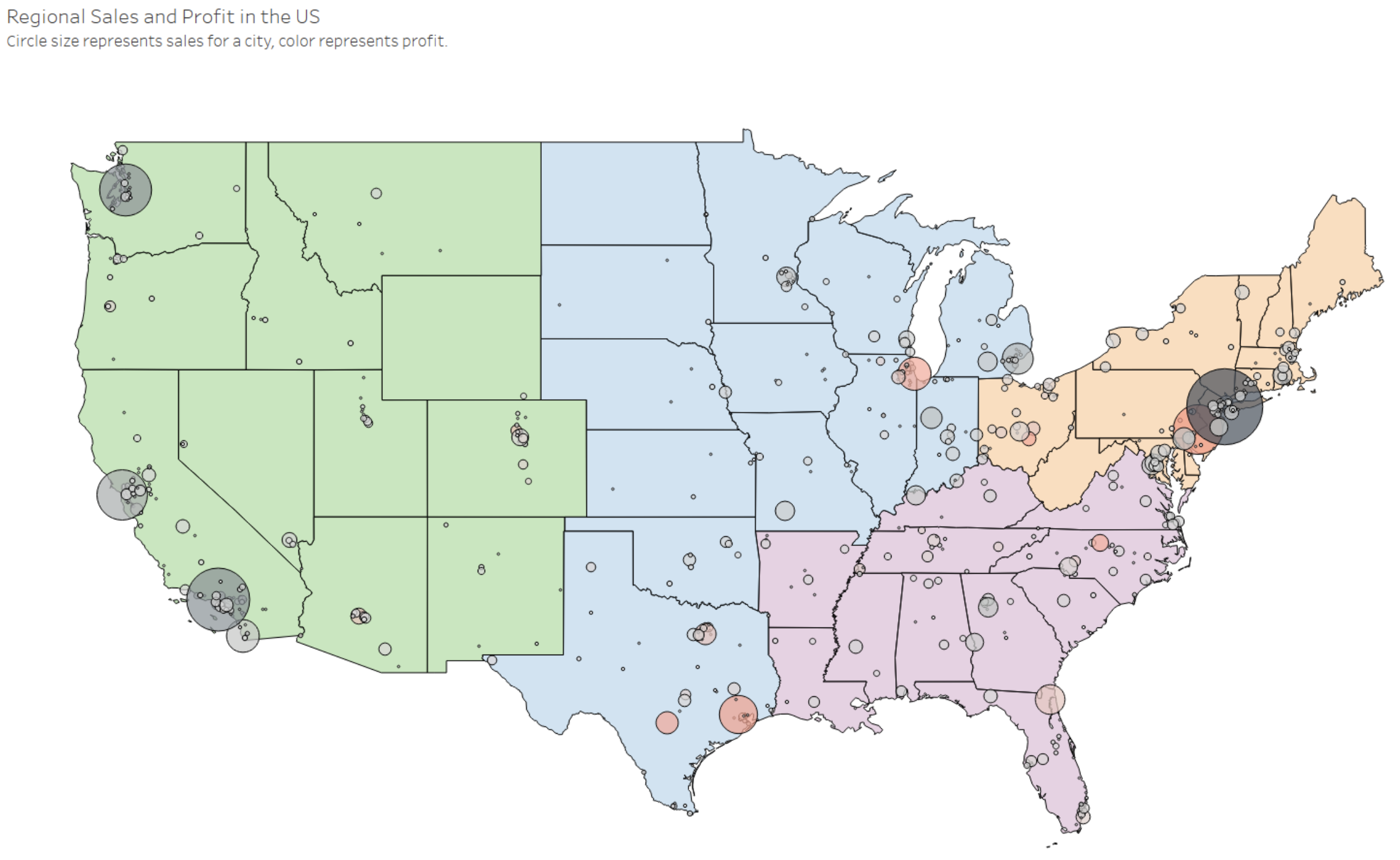
Choropleth — Tableau exercise

Regional sales and profit in the United States, with colored regions and proportional circles.

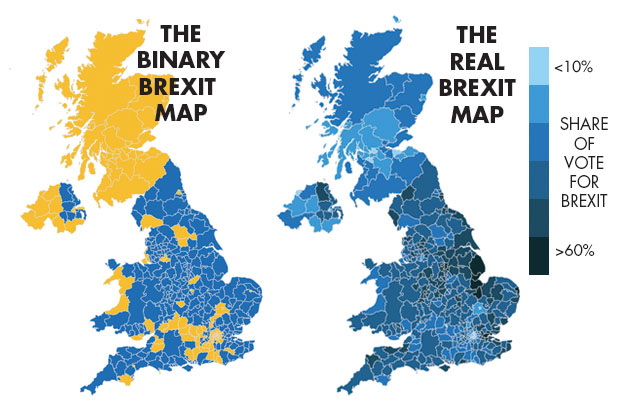
Be careful about binning

  • Level of analysis can change the message

The binary Brexit map and the real Brexit map, comparing different levels of aggregation.

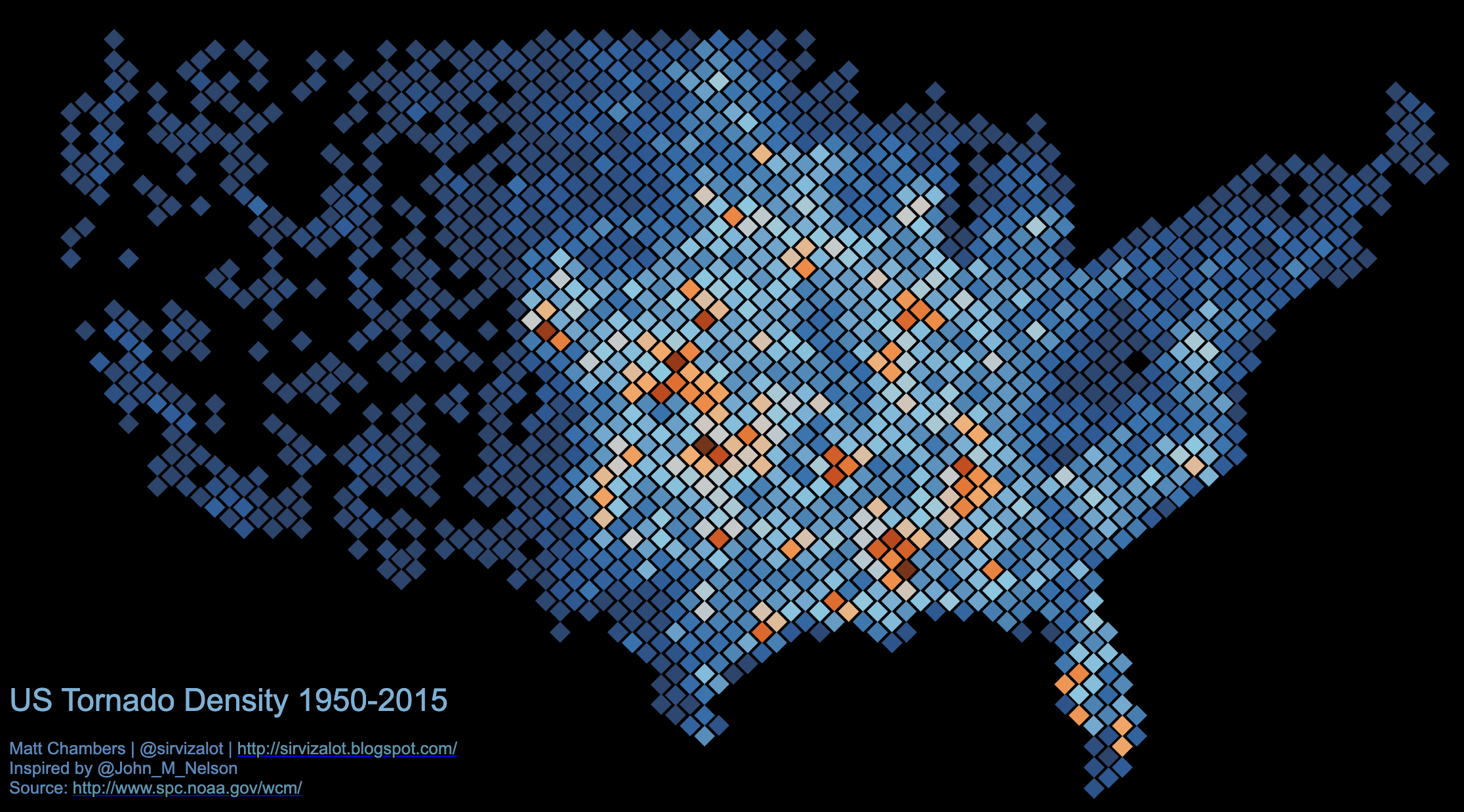
Map binning

United States tornado density from 1950 to 2015, shown using hexagonal bins.

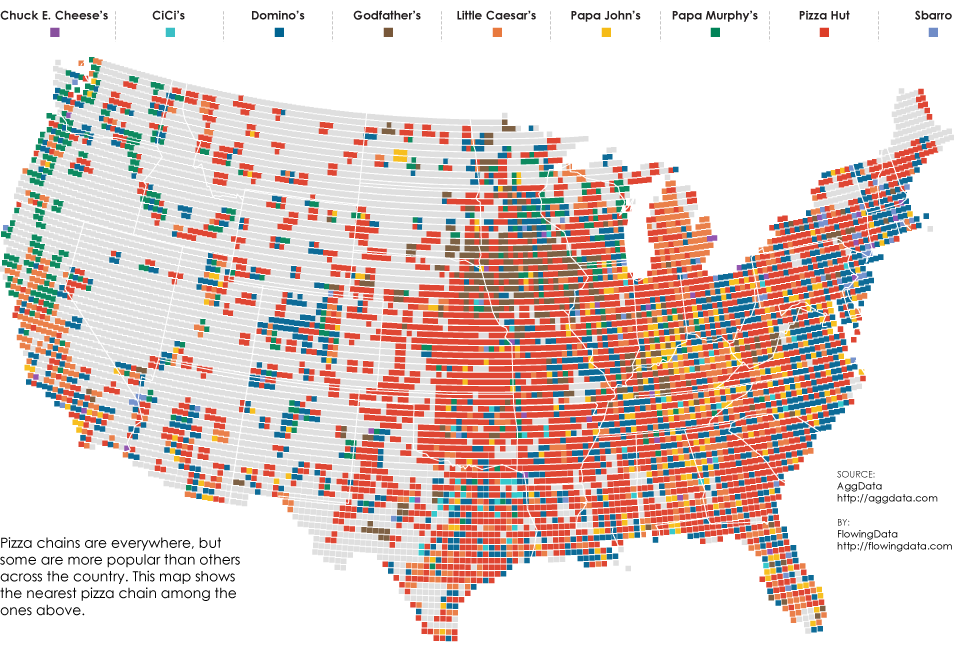
Map binning

United States religious affiliations shown in colored map bins.

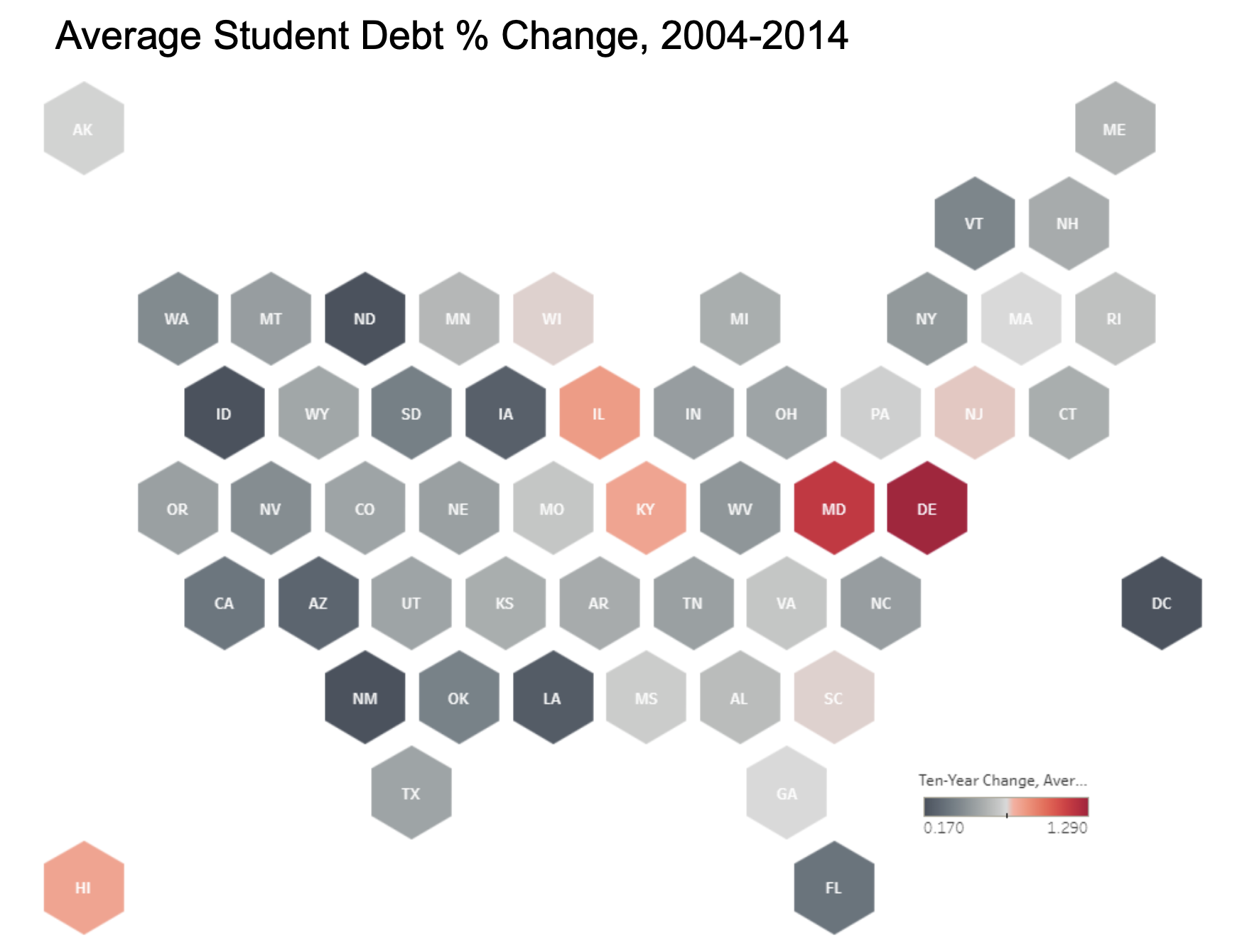
Hex tile map — Tableau exercise

Average student debt percentage change from 2004 to 2014, shown as a hex tile map.

Maps can be effective in small multiples
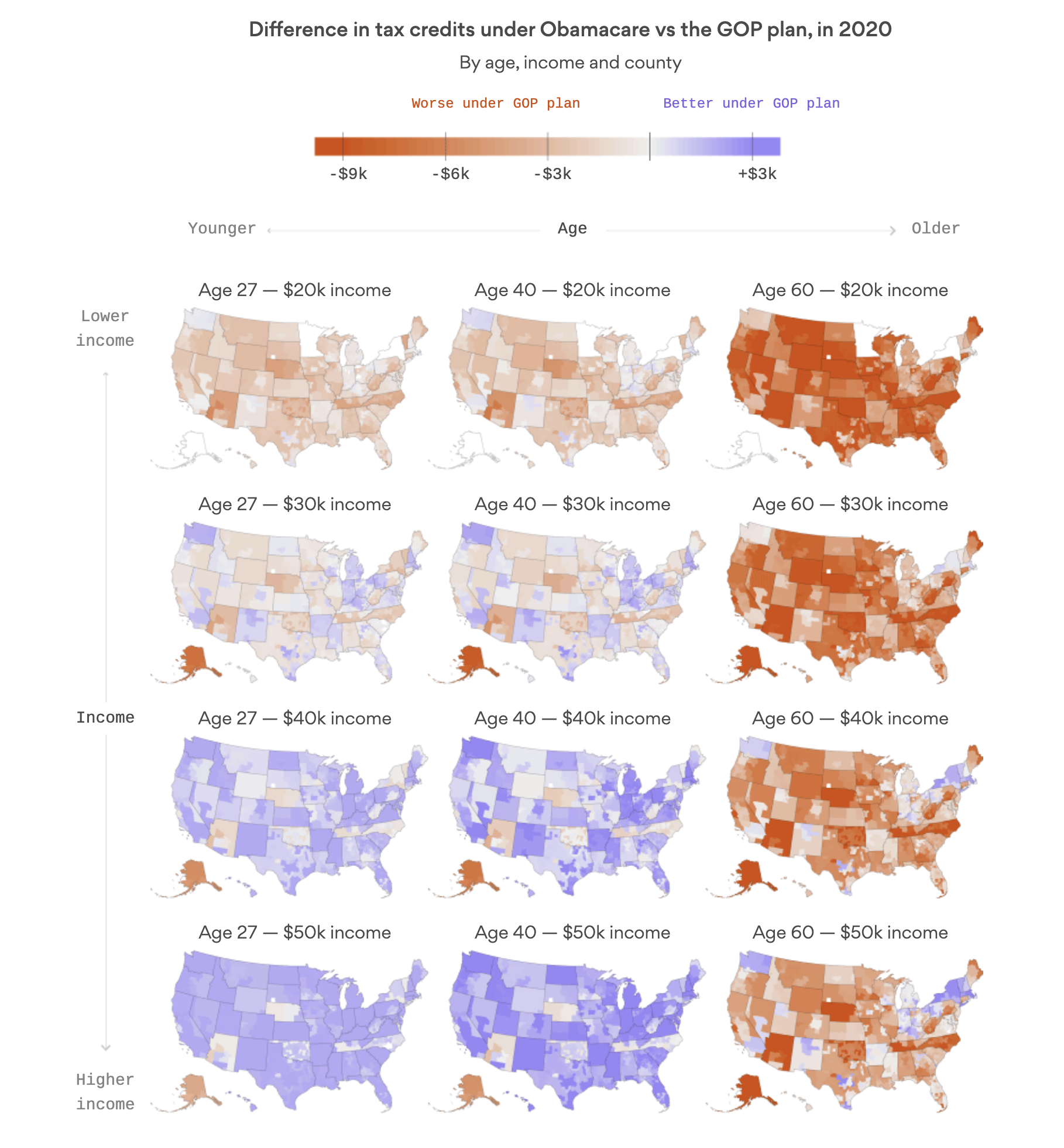
Small multiple United States maps comparing changes in health insurance tax credits.

Maps need not be geographical

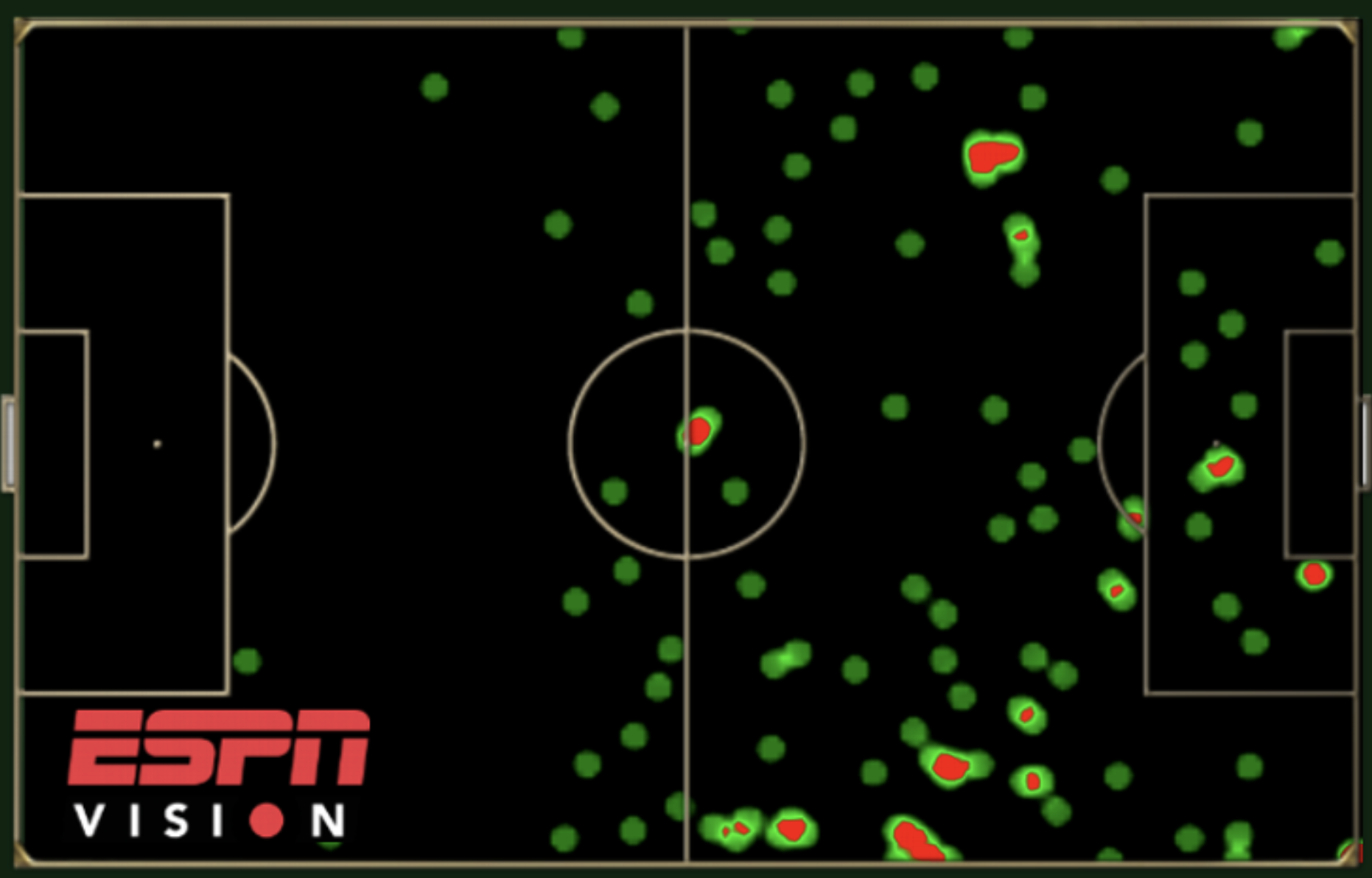
Soccer pitch showing Arjen Robbens touches during the 2014 World Cup group stage.

Heat map showing Arjen Robben’s touches during the 2014 World Cup group stage.

Animation with maps

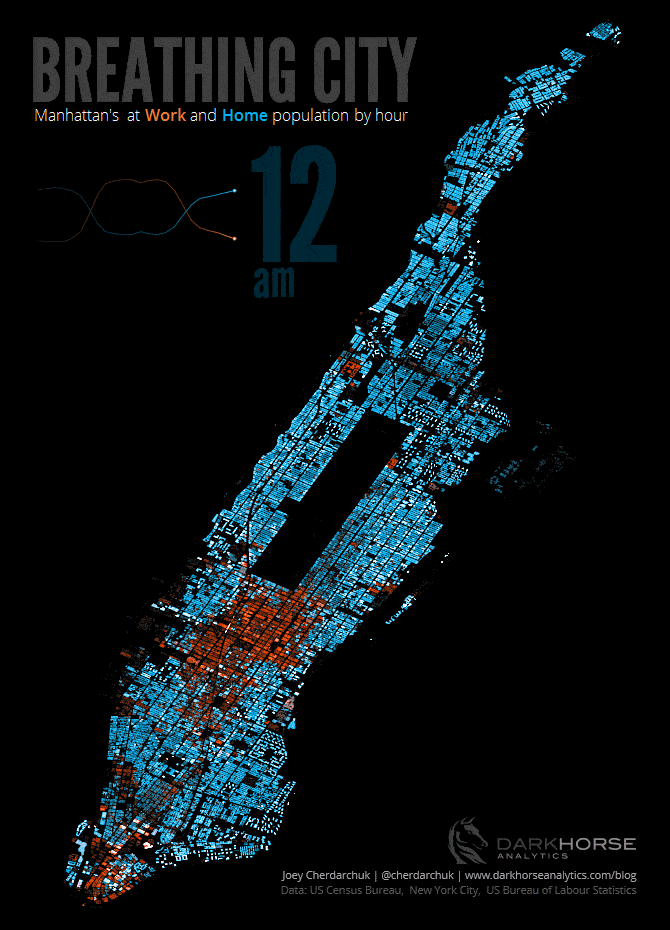
Breathing City: a frame from the Manhattan population movement map.

Networks and Flows

Networks

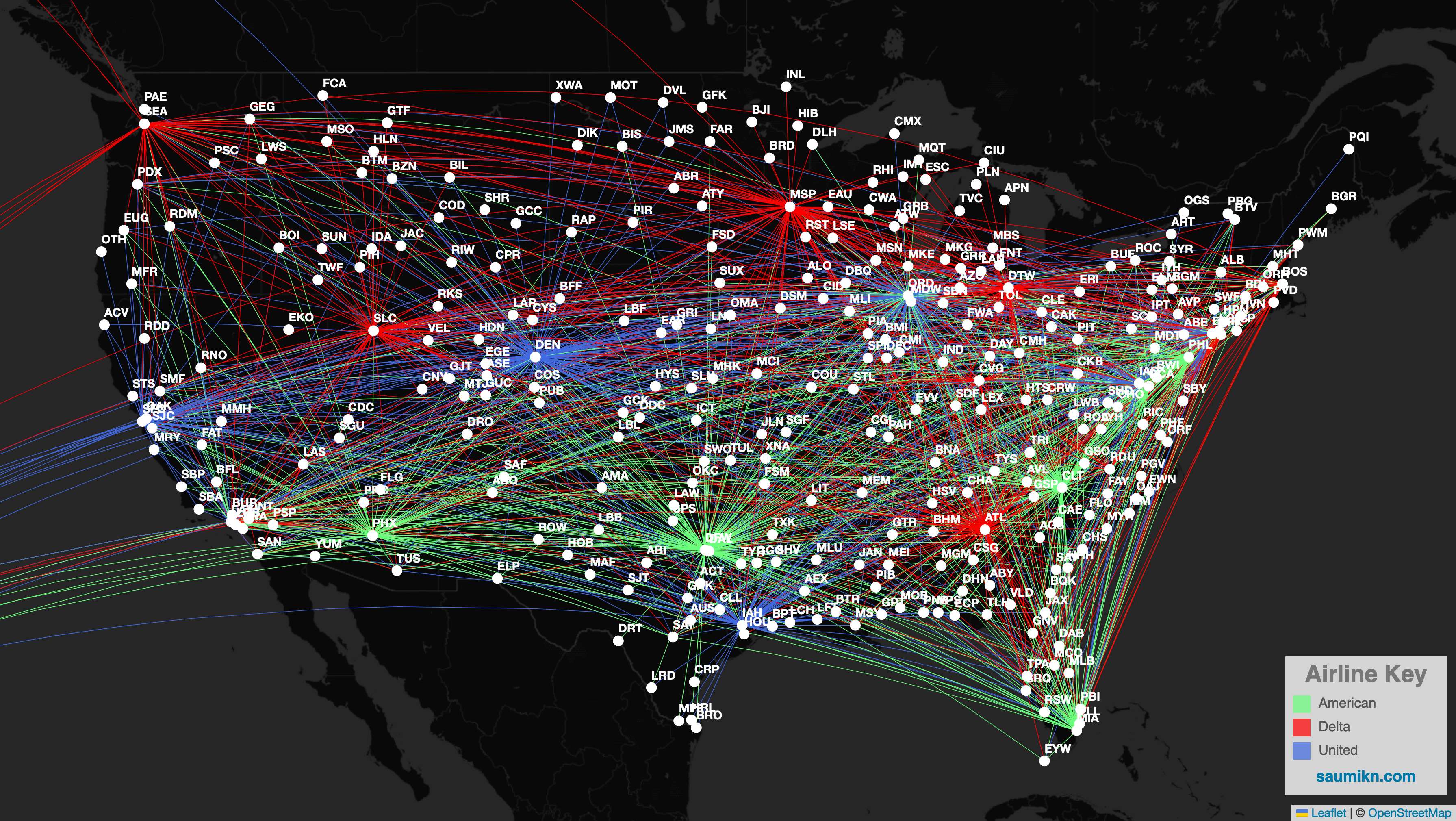
Airline routes across the continental United States, shown as a network.

Sankey diagrams to show flow

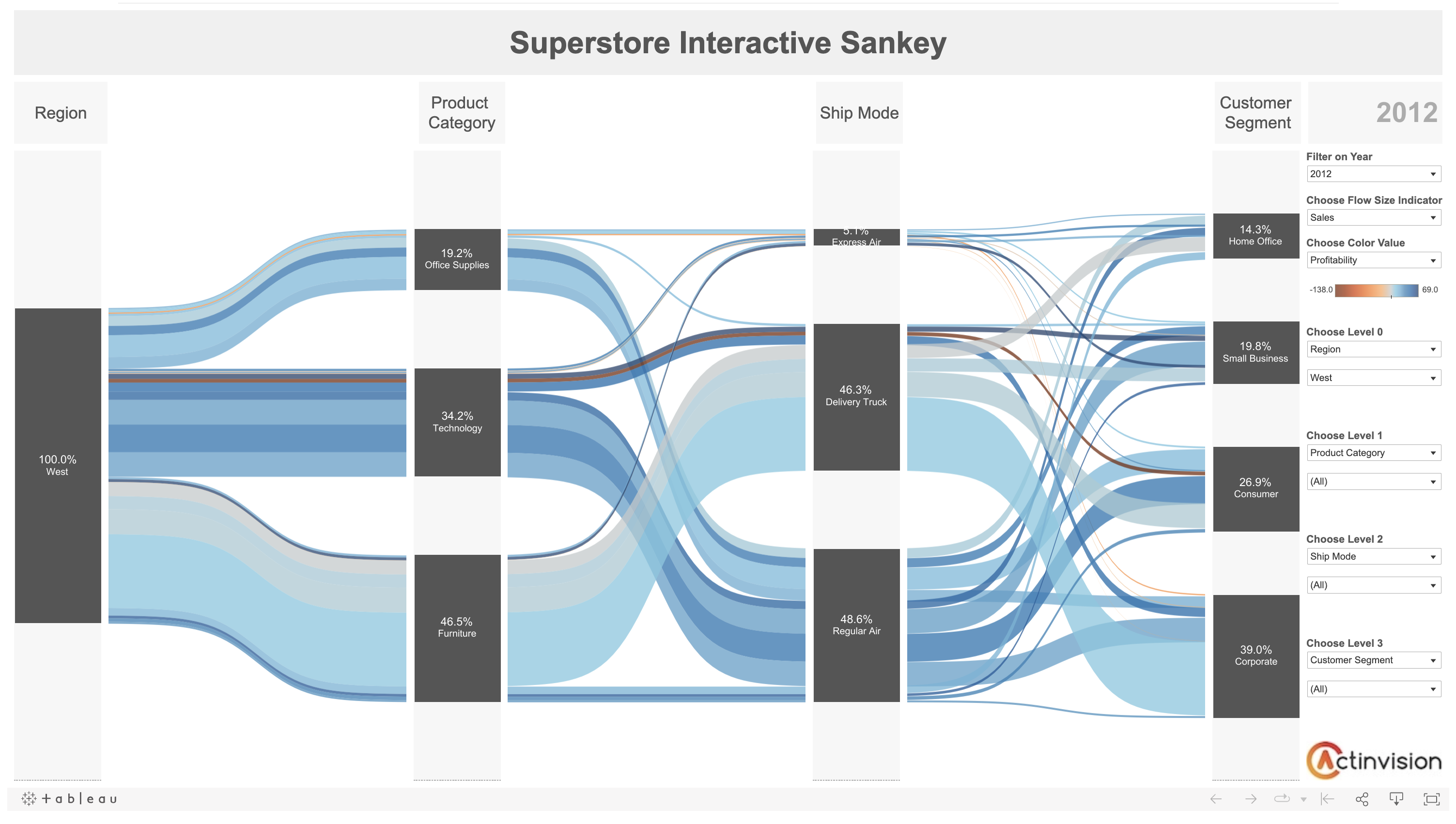
  • Be careful about the number of categories/lines

Superstore Interactive Sankey: flows among region, category, and year.

Silly Graphs

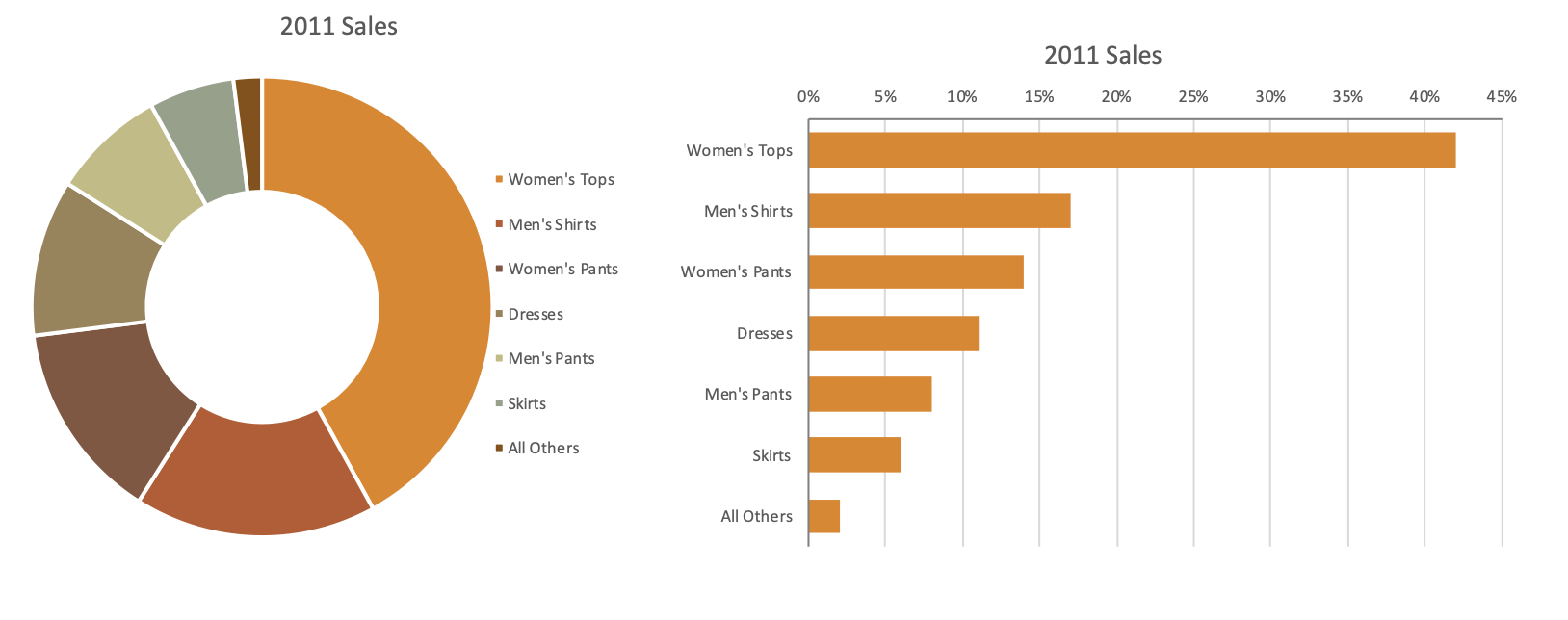
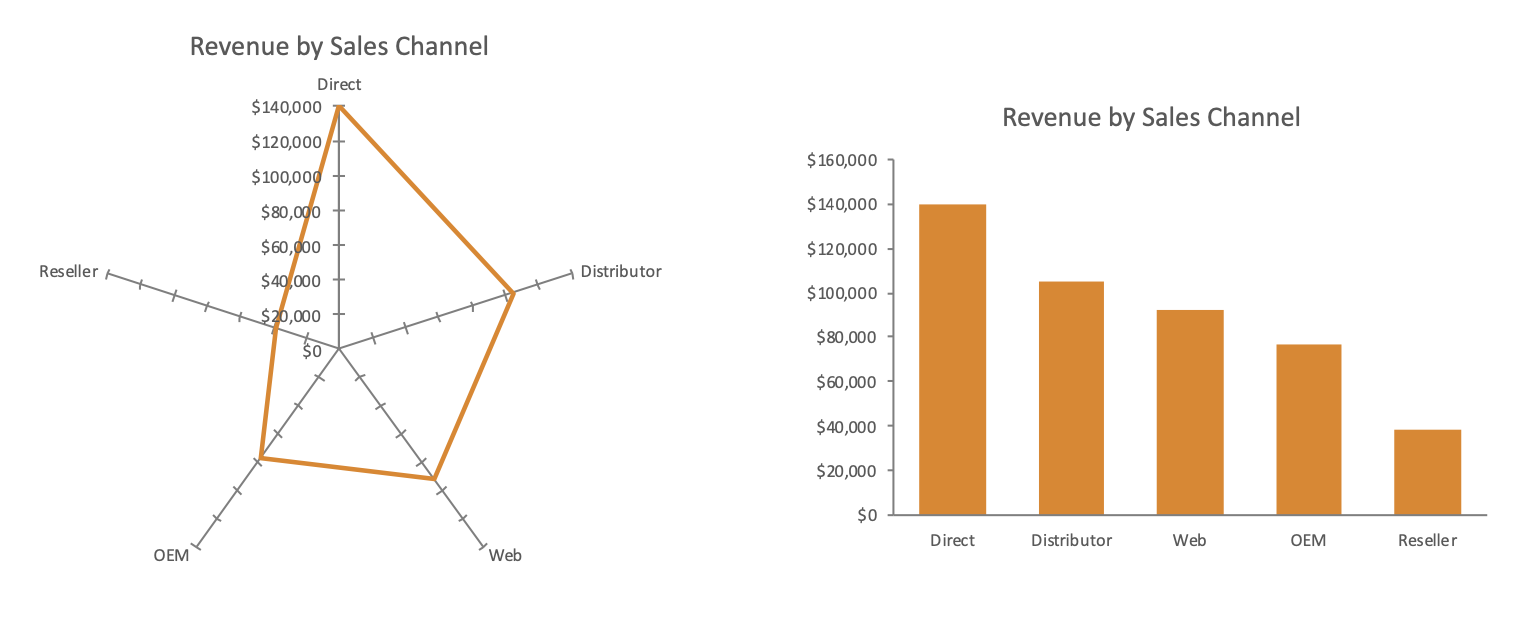
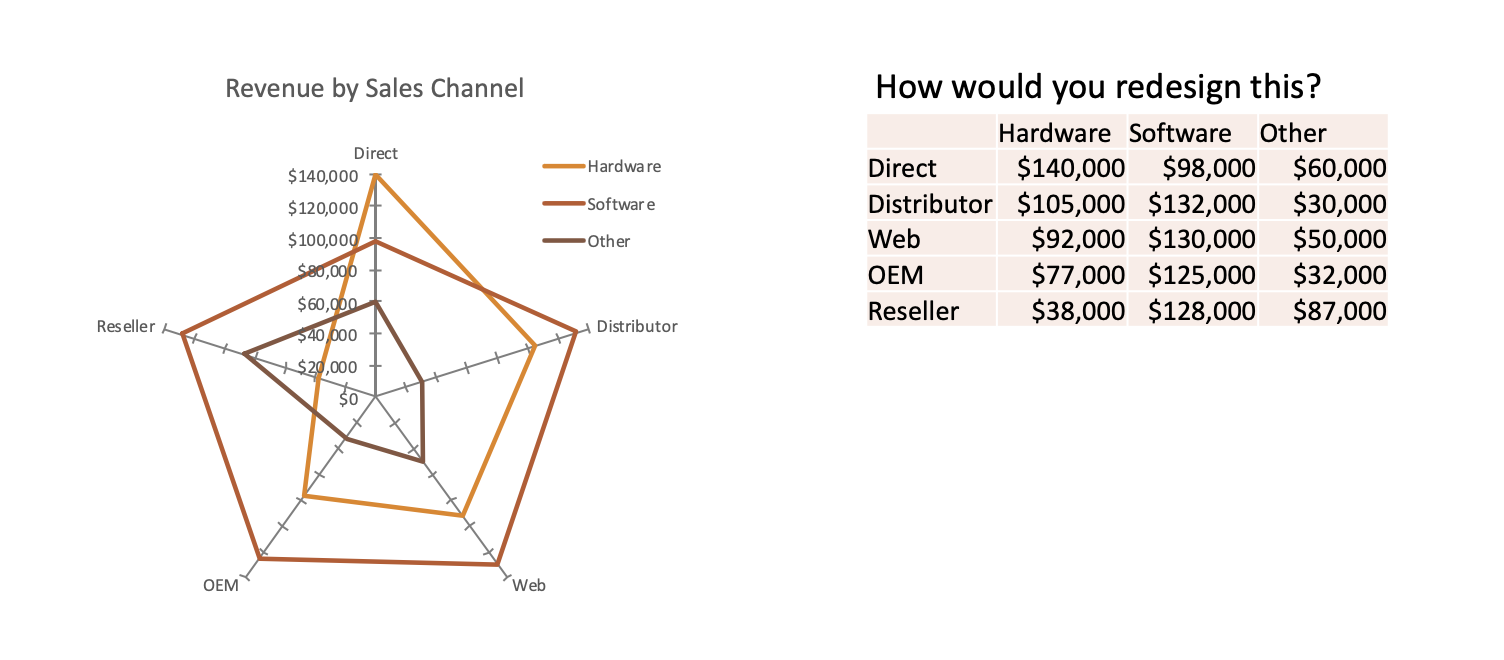
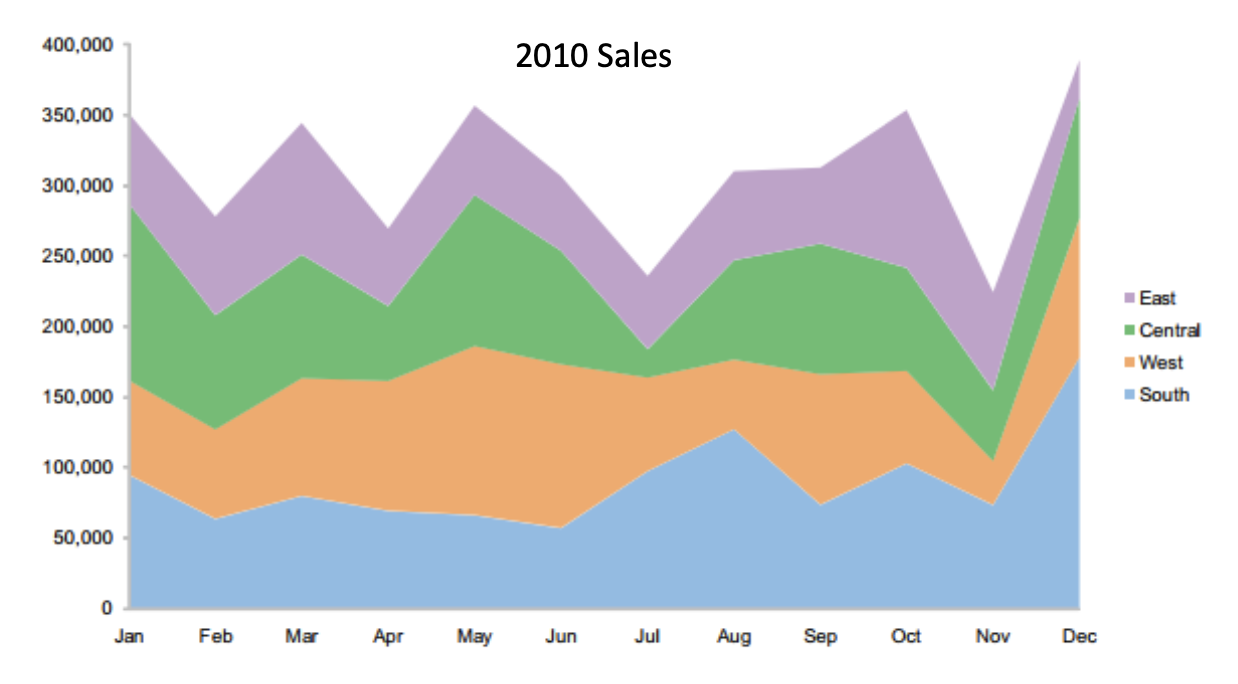
That should be forsaken, according to Few (2012)

Donut Charts

2011 sales shown as a donut chart alongside a sorted horizontal bar chart.

Radar charts

Revenue by sales channel shown as a radar chart alongside a vertical bar chart.

Even more confusing

Revenue by sales channel for three products shown as overlapping radar traces beside the data table.

Stacked area charts

2010 sales by region shown as a stacked area chart.

Few’s redesign

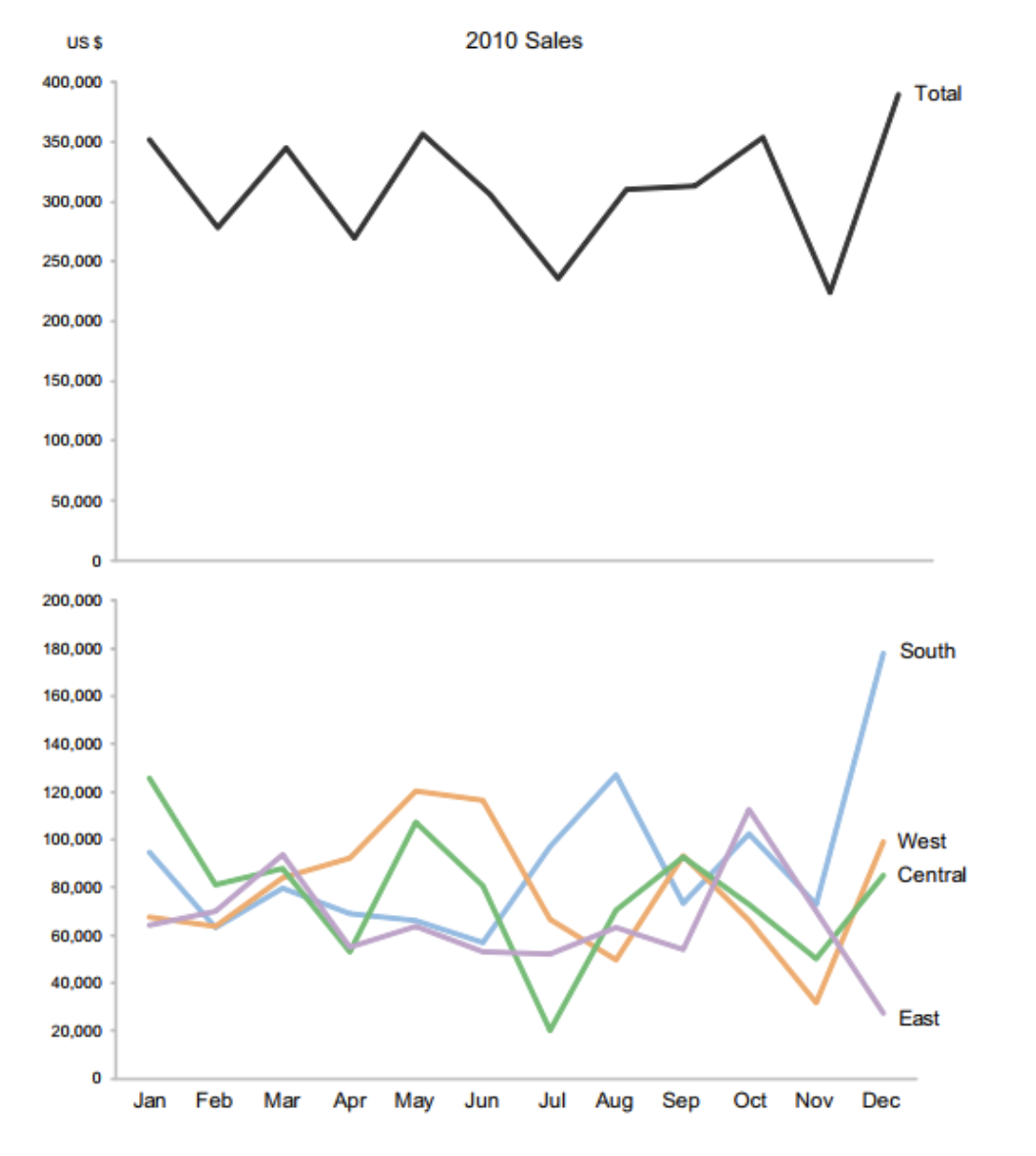
2011 sales redesigned as a total line chart above a line chart of the individual regions.

Show the total as a separate graph

Show categories on the same x axis

Circle/Bubble charts
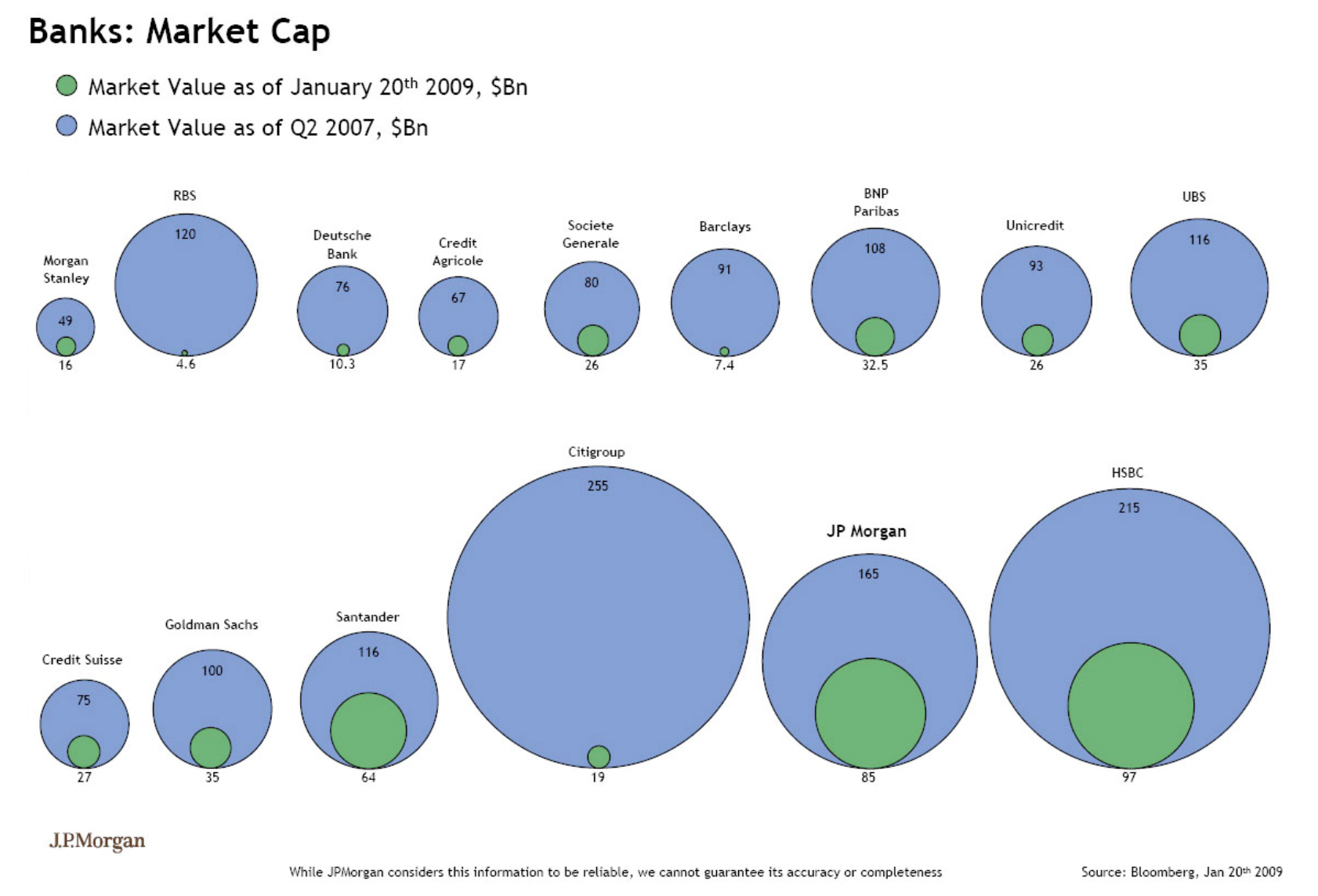
Banks market capitalization in January 2009 and the second quarter of 2007, shown as nested circles.

Few’s redesign

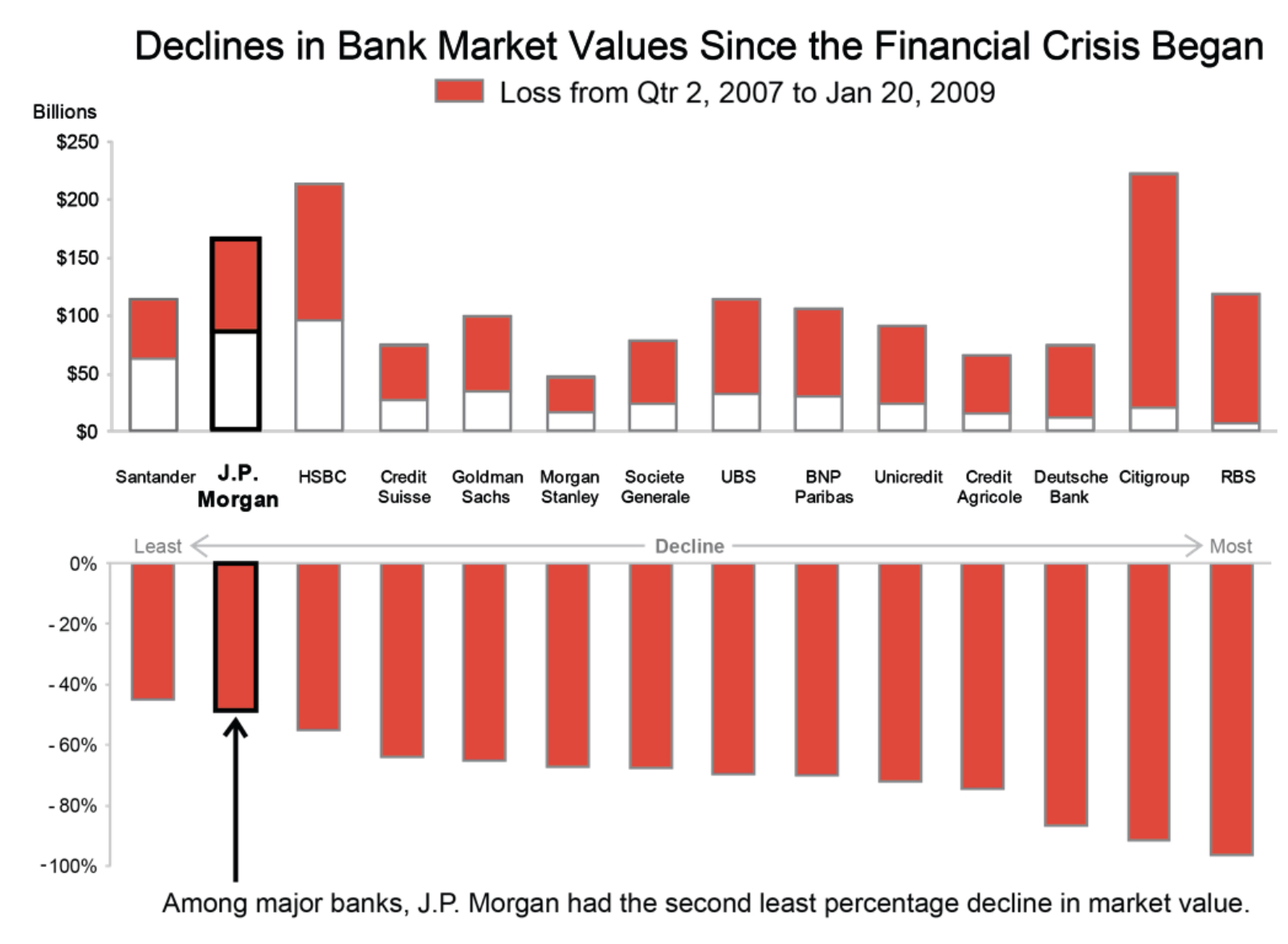
Declines in bank market values since the financial crisis began, shown as dollar and percentage bar charts.

Unit charts

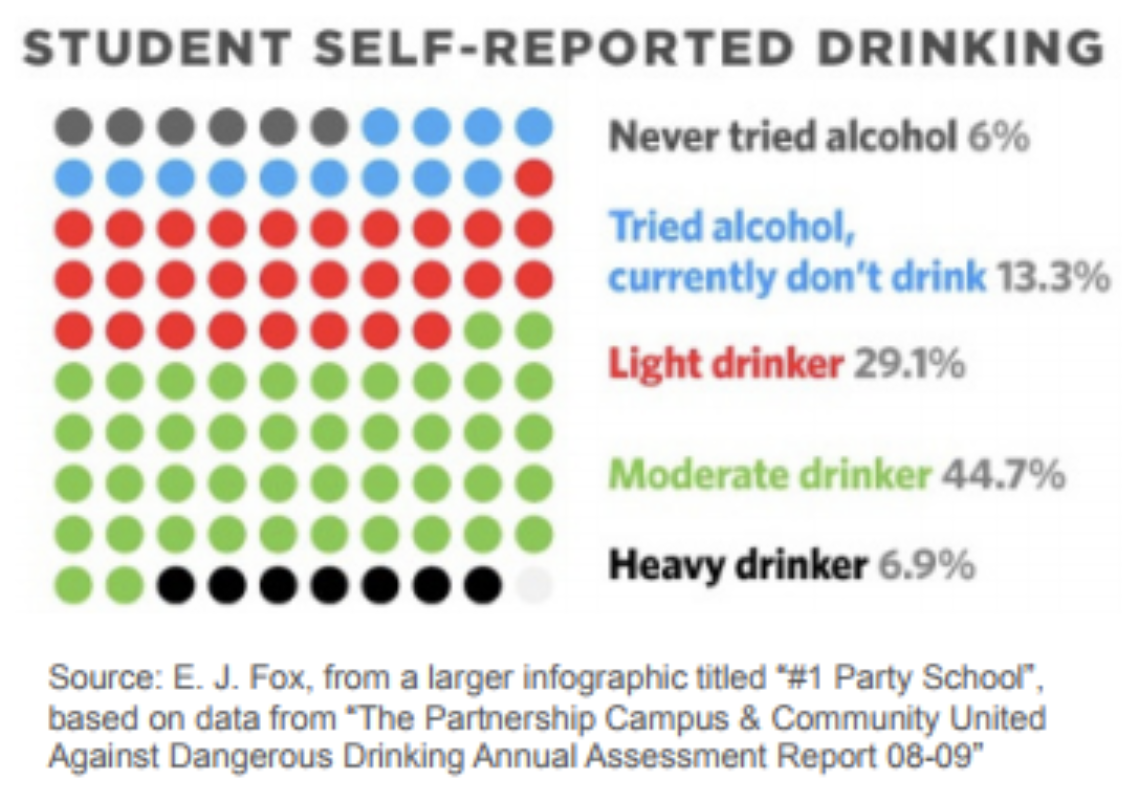
Student self-reported drinking status shown as a unit chart with colored dots.

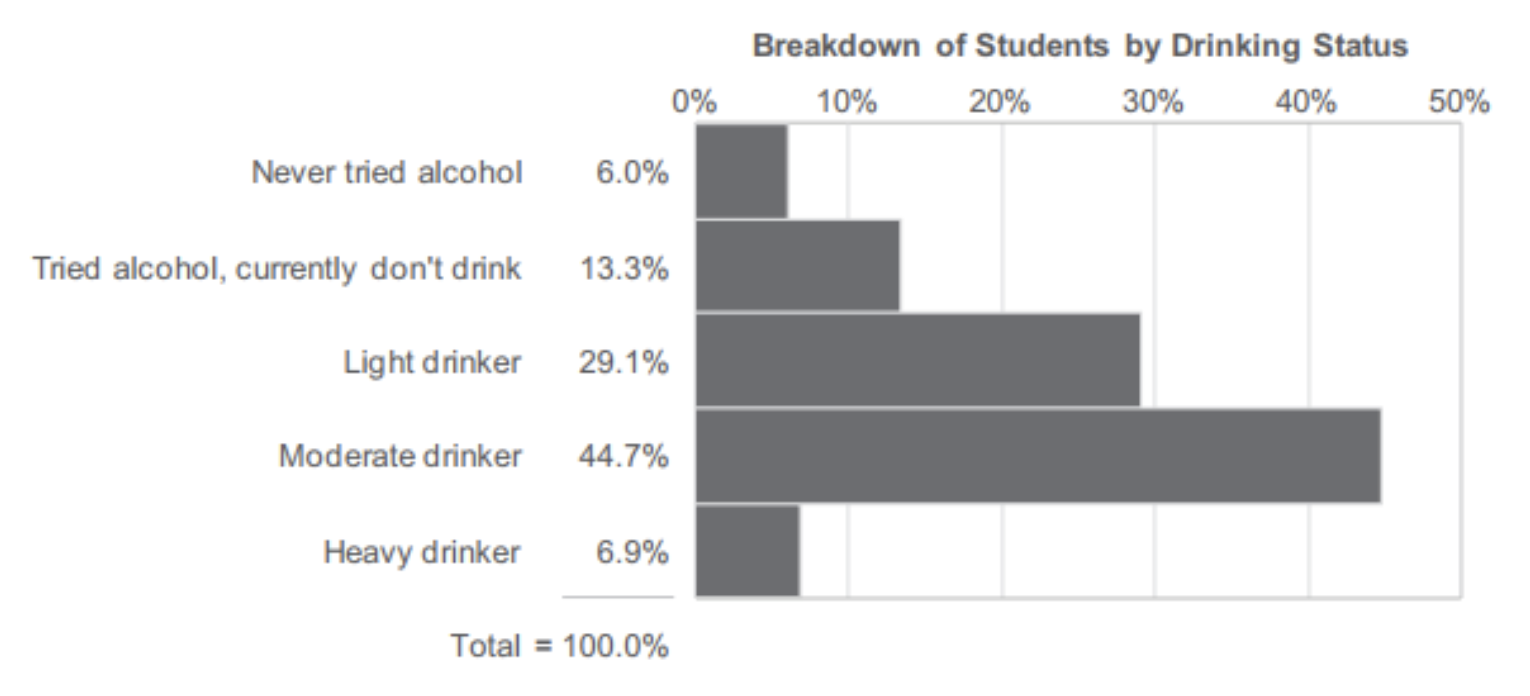
Breakdown of students by drinking status shown as horizontal percentage bars.

Funnel chart

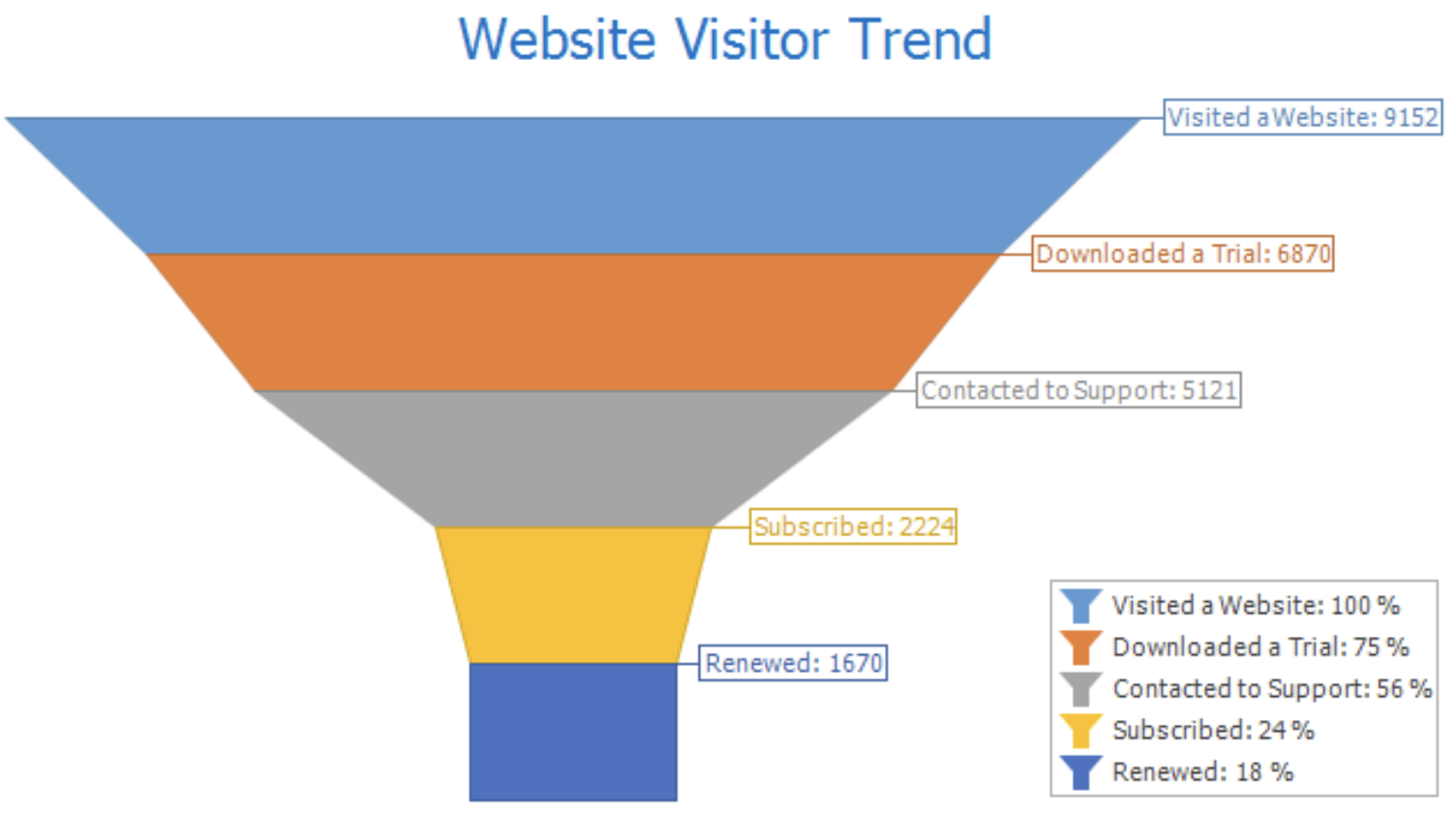
Website visitor trend shown as a funnel from visited website to submitted enquiry.

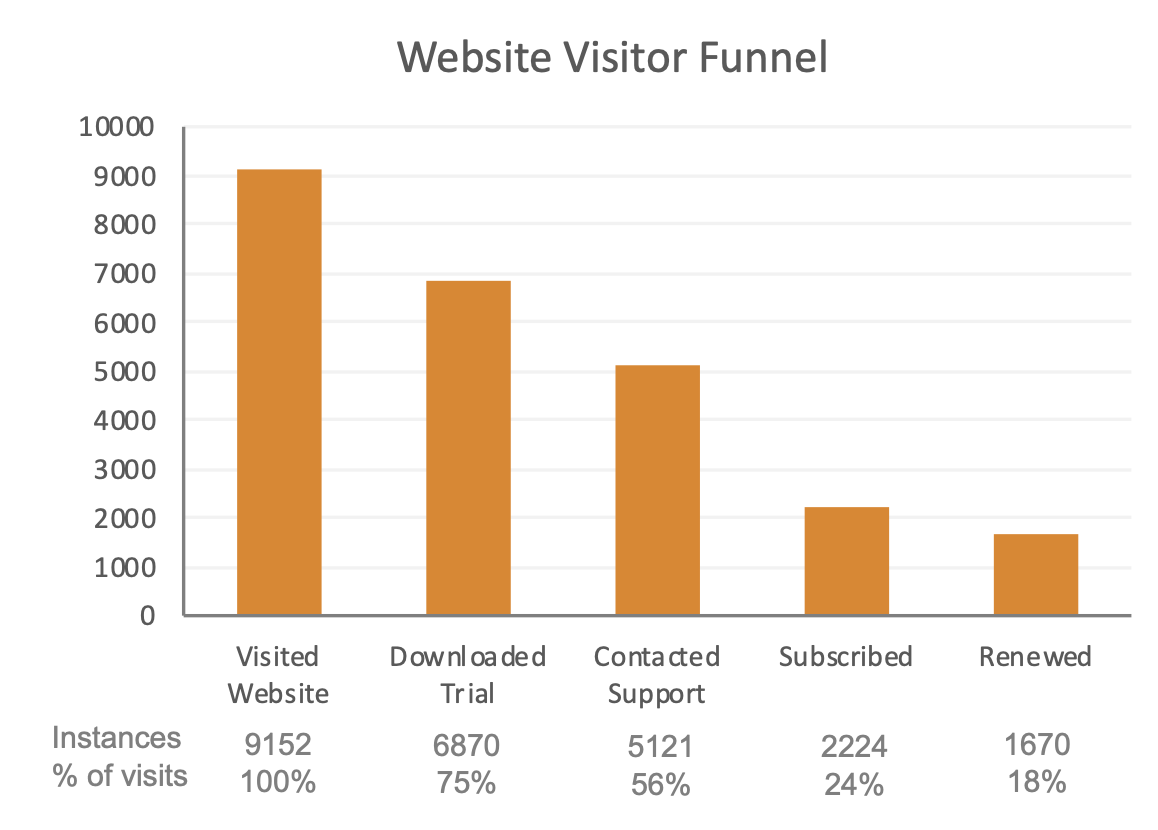
Website visitor funnel stages shown as a descending vertical bar chart.

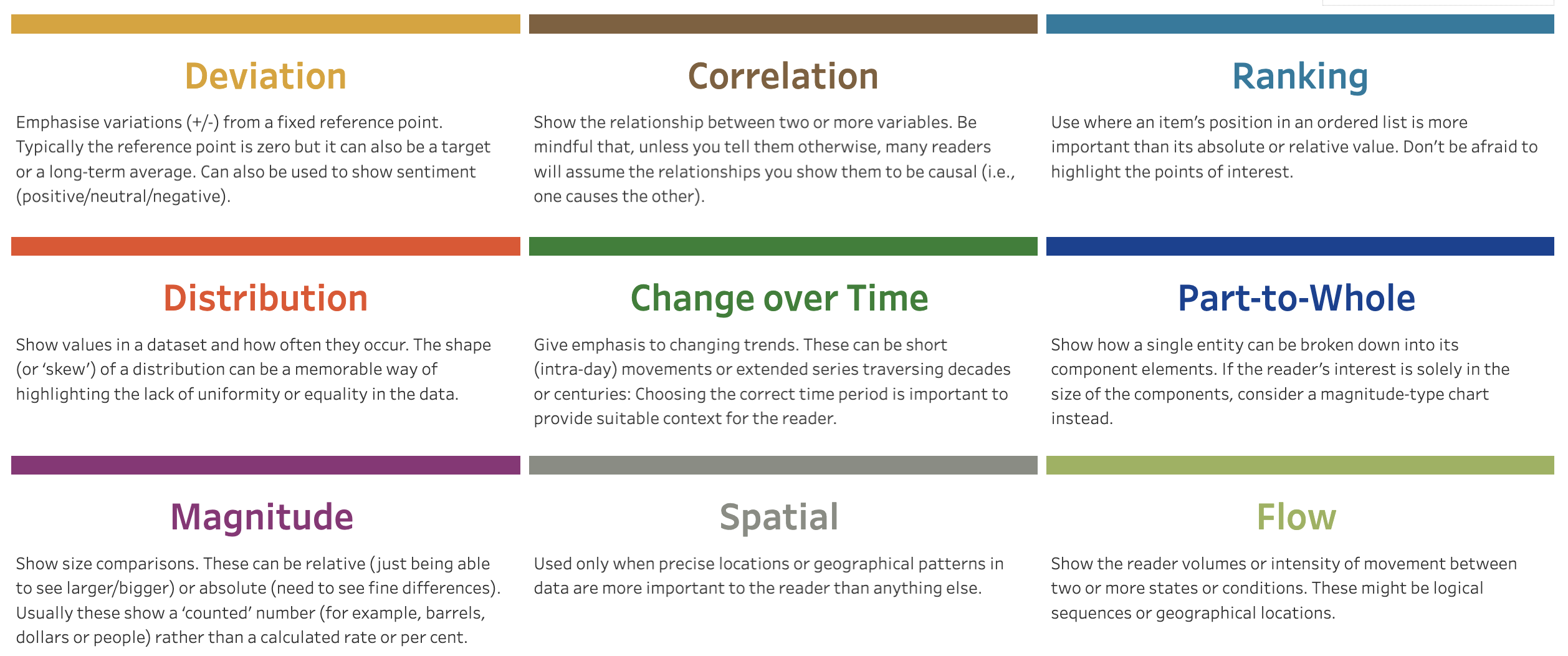
Visual Vocabulary Reference

https://public.tableau.com/app/profile/andy.kriebel/viz/VisualVocabulary/VisualVocabulary

Visual Vocabulary reference grid covering deviation, correlation, ranking, distribution, change over time, part-to-whole, magnitude, spatial, and flow.